> ## Documentation Index
> Fetch the complete documentation index at: https://docs.domino.ai/llms.txt
> Use this file to discover all available pages before exploring further.
# Scale deployed Domino endpoints
To scale the performance of [Domino endpoints](/cloud/platform-capabilities/features/model-deployment) in Domino, you can scale hardware using Domino endpoint hardware tiers, or increase the degree of parallelism.
## Domino endpoint hardware tiers
Use **Domino endpoint hardware tiers** to scale your models deployed as [Domino endpoints](/cloud/platform-capabilities/features/model-deployment).
Since Domino endpoints often have different requirements than Workspaces and Jobs, Domino lets you classify specific hardware tiers for Domino endpoints, allowing you to tailor your hardware to meet the unique demands of machine learning model deployment.
Domino endpoint tiers and regular hardware tiers are non-interchangeable.
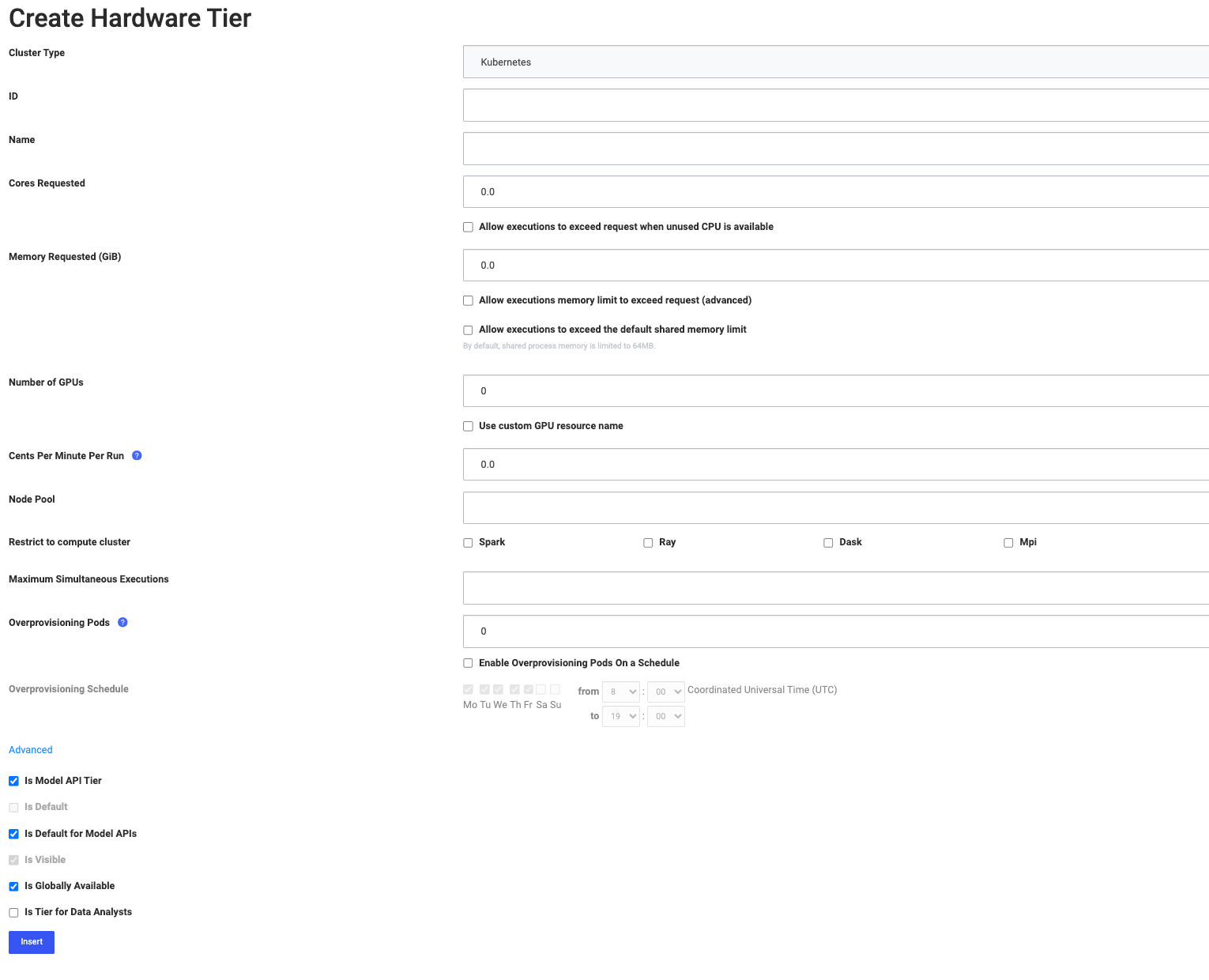
## Create a Domino endpoint hardware tier
To create a new Domino endpoint hardware tier:
1. From the admin home page, go to **Advanced** > **Hardware Tiers**.
2. Click **New** to create a hardware tier, or click **Edit** to modify an existing hardware tier or set a default hardware tier.
3. Select the desired hardware tier values, see [Create hardware tier](/cloud/admin/infrastructure-and-compute/manage-compute-resources/hardware-tiers/create-hardware-tier).
4. Select **Is Domino endpoint Tier**.
5. You can also specify if you’d like this Domino endpoint tier to be the default for all Domino endpoints.
 ## Scale Domino endpoints
To scale all Python Domino endpoints, set the degree of parallelism.
Only synchronous models support this.
1. Go to **Admin** > **Platform settings** > **Configuration records**.
2. Set `com.cerebro.domino.modelmanager.uWsgi.workerCount` to a value greater than its default value of `1` to increase the uWSGI worker count. See the [uWSGI documentation](https://uwsgi-docs.readthedocs.io/en/latest/) for more information.
3. The system shows the following message: `Changes here do not take effect until services are restarted. Click here to restart services.`
4. Click **here** to restart the services.
## Next steps
Learn more about [Domino hardware tiers](/cloud/admin/infrastructure-and-compute/manage-compute-resources/hardware-tiers).
## Scale Domino endpoints
To scale all Python Domino endpoints, set the degree of parallelism.
Only synchronous models support this.
1. Go to **Admin** > **Platform settings** > **Configuration records**.
2. Set `com.cerebro.domino.modelmanager.uWsgi.workerCount` to a value greater than its default value of `1` to increase the uWSGI worker count. See the [uWSGI documentation](https://uwsgi-docs.readthedocs.io/en/latest/) for more information.
3. The system shows the following message: `Changes here do not take effect until services are restarted. Click here to restart services.`
4. Click **here** to restart the services.
## Next steps
Learn more about [Domino hardware tiers](/cloud/admin/infrastructure-and-compute/manage-compute-resources/hardware-tiers).