> ## Documentation Index
> Fetch the complete documentation index at: https://docs.domino.ai/llms.txt
> Use this file to discover all available pages before exploring further.
# Copy a Project
When you copy a project, Domino creates a duplicate project under your account. The new project contains the same files, tasks, and [restricted project status](/cloud/admin/platform-configuration/manage-compute-environments/restricted-environments#restricted-projects), but does not include the following:
* Project settings
* Run history
* Scheduled jobs
* Task Assignee
## Copy a Project
1. Go to the project and the **Overview** page opens.
2. Click the copy icon.
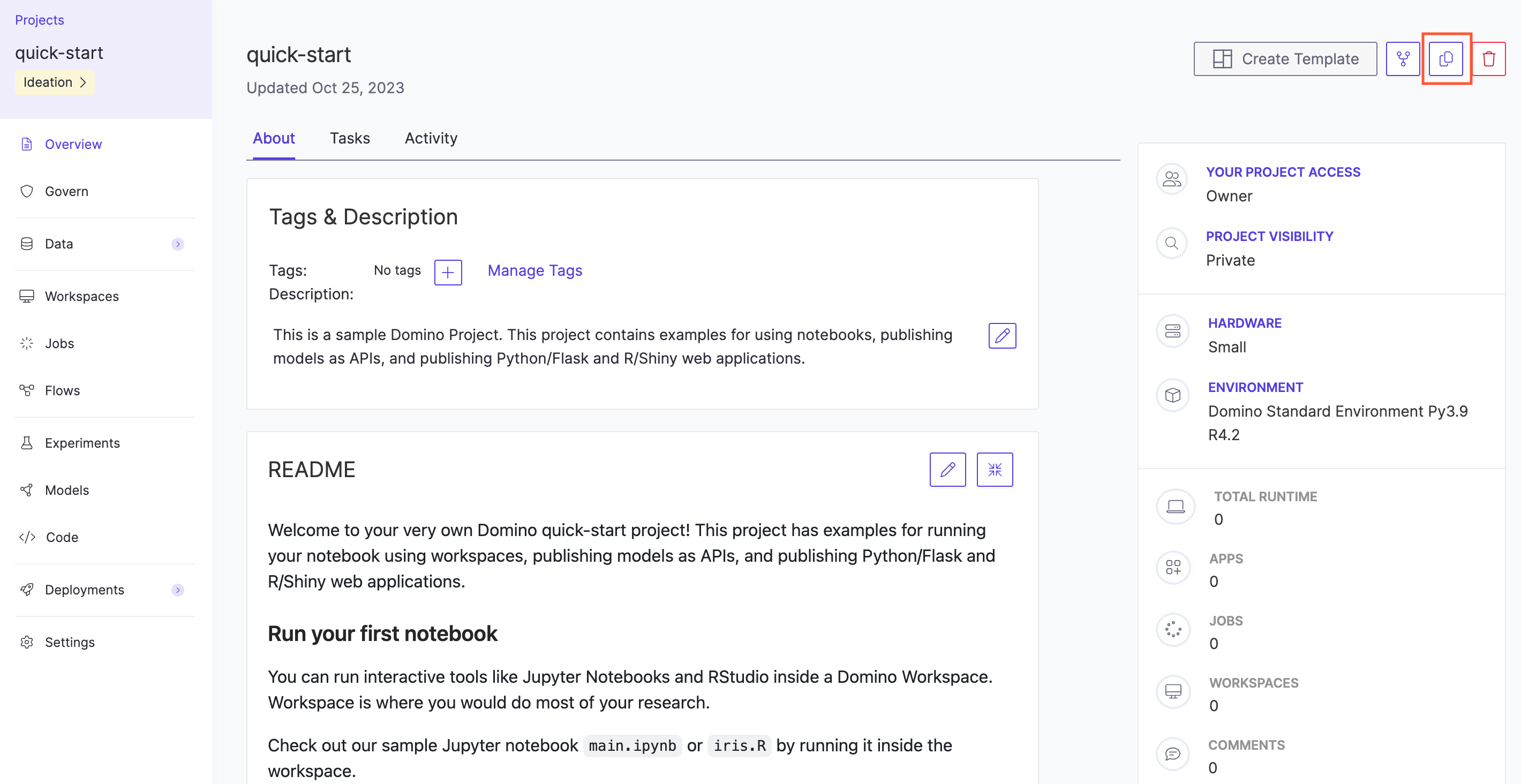 3. Type the name for the new project and click **Copy**. The new project’s Overview page opens.
To copy Git-based projects, see [Project Templates](/cloud/platform-capabilities/core-concepts/projects/manage-git-projects/copy-project).
3. Type the name for the new project and click **Copy**. The new project’s Overview page opens.
To copy Git-based projects, see [Project Templates](/cloud/platform-capabilities/core-concepts/projects/manage-git-projects/copy-project).