> ## Documentation Index
> Fetch the complete documentation index at: https://docs.domino.ai/llms.txt
> Use this file to discover all available pages before exploring further.
# Export files as Python or R package
If you organize the files in a project as an installable package, then you can choose to export it as such. When another project imports this project, Domino will automatically install the package at runtime, making it available to your code.
1. Configure your project to [export files](/cloud/platform-capabilities/core-concepts/projects/collaborate-on-projects/export-import-project).
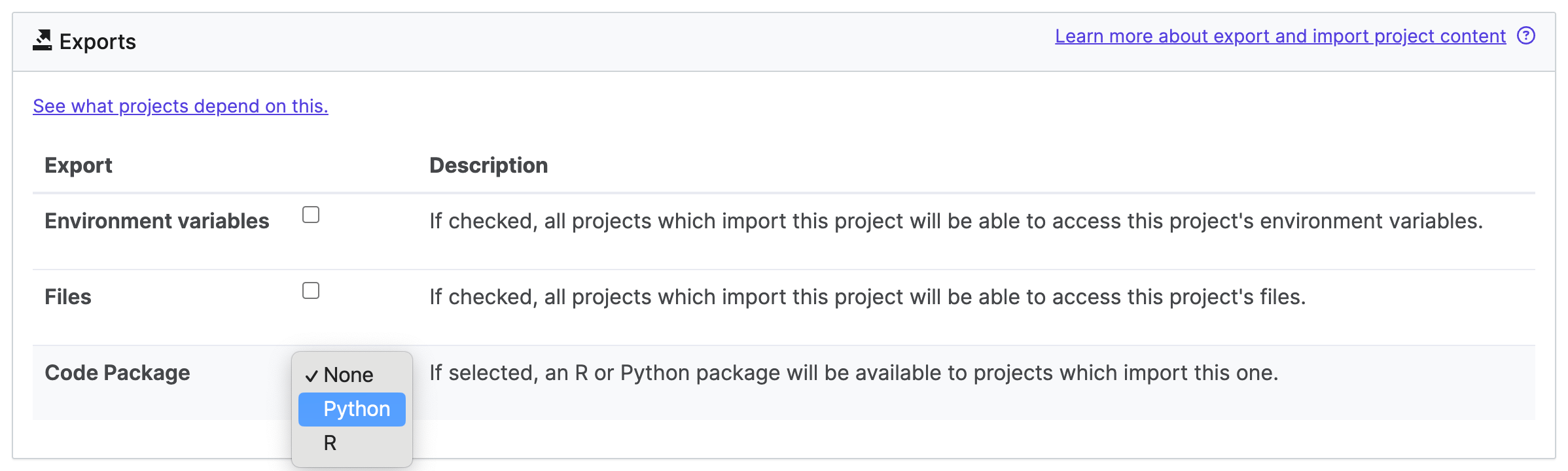
2. From **Code Package**, select the language.
 The following describes the language-specific pattern required for any package.
See the [official manual](https://cran.r-project.org/doc/manuals/r-release/R-exts.html) for an in-depth guide to writing R extensions.
In summary, each R package requires:
* A directory called `R/` with code files.
* A directory called `man/` with documentation files.
* A file named `DESCRIPTION`, with each line following the pattern `link:key>: `)
* License
* A file named `NAMESPACE` that describes the namespace of the package. If you don’t know what to put here, `exportPattern( "." )` works in many cases.
See [Packaging Python Projects](https://packaging.python.org/tutorials/packaging-projects/#generating-distribution-archives) for more details.
In summary, each Python package requires:
* A `setup.py` file. This must contain a `setup()` function (imported from `setuptools`), with arguments as described in [Packaging Python Projects](https://packaging.python.org/tutorials/packaging-projects/#creating-setup-py).
* A folder containing your Python modules and packages. Usually this is given the same name as the overall package.
* Domino recommends that you also include a `README` file.
The following describes the language-specific pattern required for any package.
See the [official manual](https://cran.r-project.org/doc/manuals/r-release/R-exts.html) for an in-depth guide to writing R extensions.
In summary, each R package requires:
* A directory called `R/` with code files.
* A directory called `man/` with documentation files.
* A file named `DESCRIPTION`, with each line following the pattern `link:key>: `)
* License
* A file named `NAMESPACE` that describes the namespace of the package. If you don’t know what to put here, `exportPattern( "." )` works in many cases.
See [Packaging Python Projects](https://packaging.python.org/tutorials/packaging-projects/#generating-distribution-archives) for more details.
In summary, each Python package requires:
* A `setup.py` file. This must contain a `setup()` function (imported from `setuptools`), with arguments as described in [Packaging Python Projects](https://packaging.python.org/tutorials/packaging-projects/#creating-setup-py).
* A folder containing your Python modules and packages. Usually this is given the same name as the overall package.
* Domino recommends that you also include a `README` file.