> ## Documentation Index
> Fetch the complete documentation index at: https://docs.domino.ai/llms.txt
> Use this file to discover all available pages before exploring further.
# Work from a commit ID in Git
When you [add an external Git repository to your project](/cloud/platform-capabilities/core-concepts/projects/manage-dfs-projects/import-git-repositories), you can specify which state of the repository you want checked out by default in your runs and workspaces. You can specify a branch, tag, commit ID, or custom ref.
Commit IDs are unique SHA-1 hashes that are created whenever a new [commit](https://git-scm.com/docs/git-commit) is recorded. If you specify a commit ID when you add a repository, Domino will always pull the state of the repository specified by that commit in a [detached HEAD](https://git-scm.com/docs/git-commit) state. This represents a fixed point in the repository’s history, and will not evolve over time like a branch.
Domino cannot automatically push to repositories it has pulled in this way. If you want to push changes to such a repository, you can use the workspace command line to manually commit and push to a new branch. See [Import Git Repositories](/cloud/platform-capabilities/core-concepts/projects/manage-dfs-projects/import-git-repositories) to learn more about how to interact with Git in workspaces.
## Example
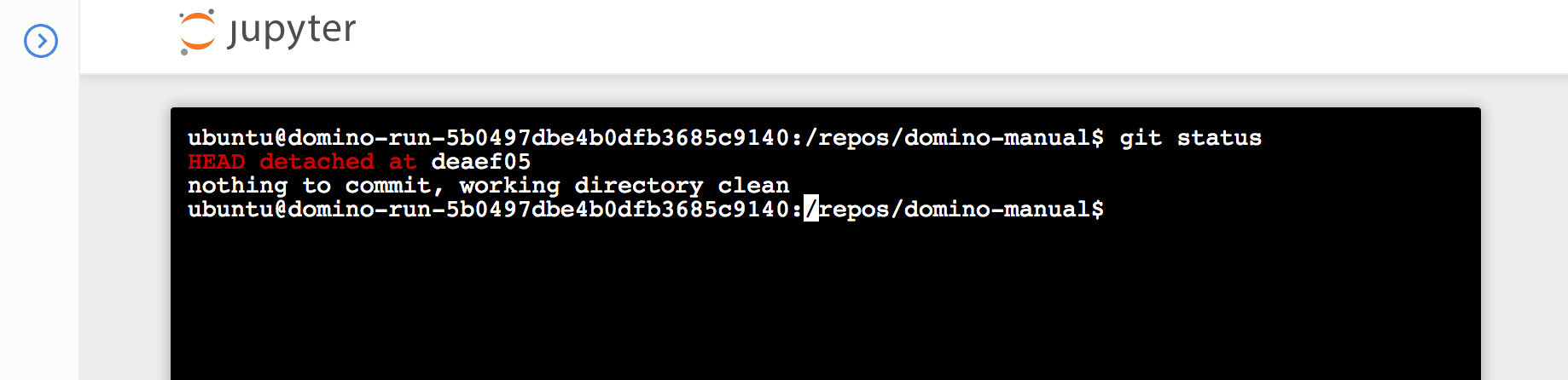
In this example, a repository called `domino-manual` was added to a project with a specified commit ID. When the workspace is started, it is pulled to `/repos/domino-manual` with the target commit checked out in a detached HEAD state. You can run `git status` to verify this in your workspace command line.
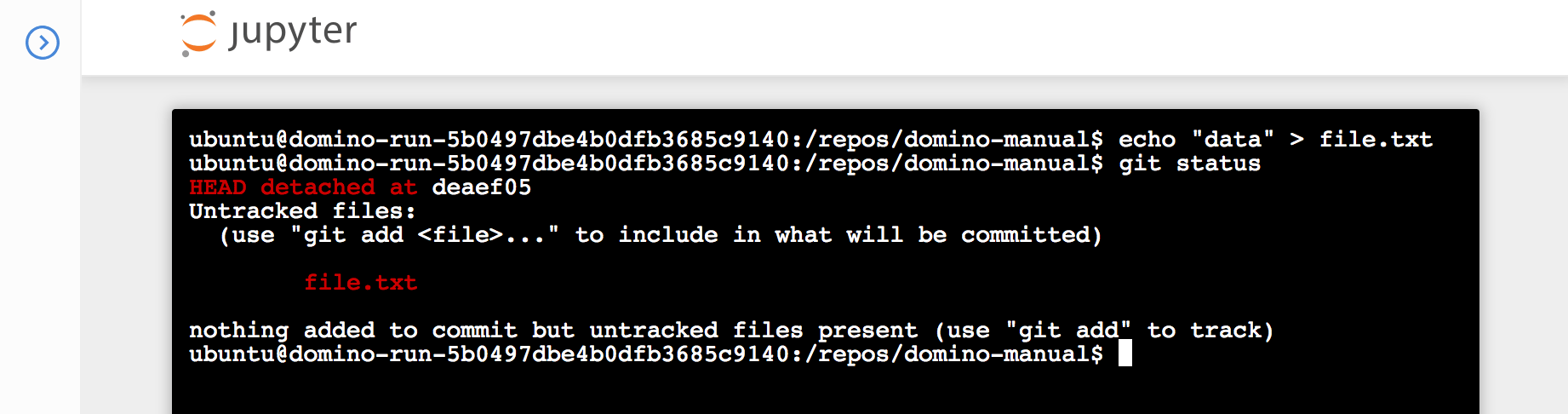
 Suppose during the course of your workspace session you make a change to the repository. It will remain in the detached HEAD state, but Git will continue to track changes.
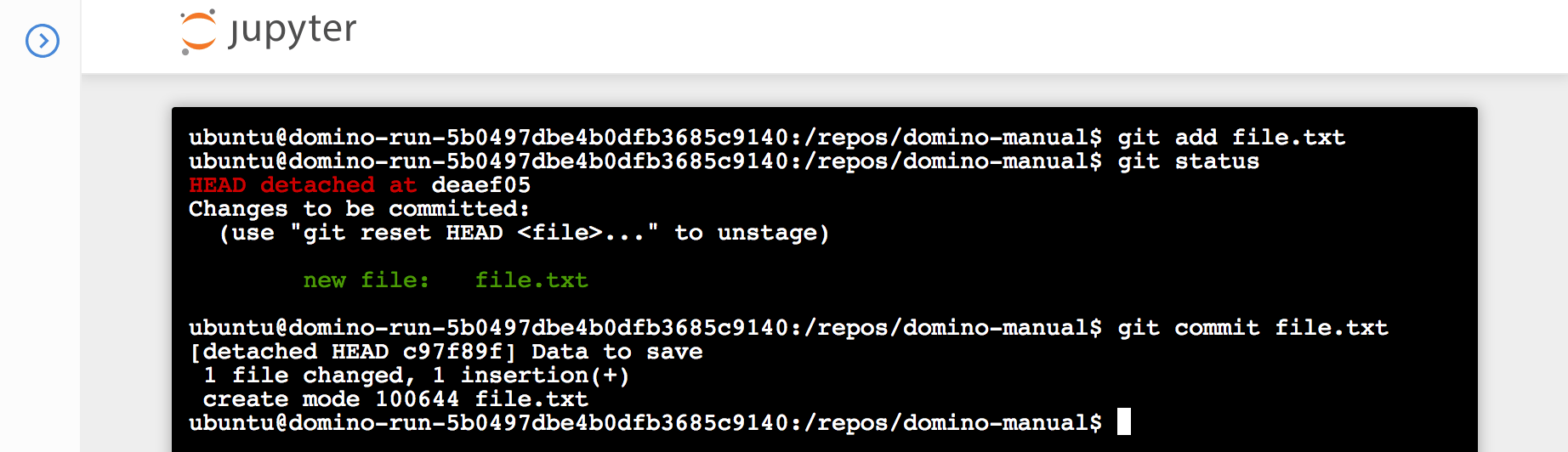
 You can add and commit those changes as normal.
 However, if you try to push from the detached HEAD state, you will encounter a fatal error. Git must have a branch to push to.
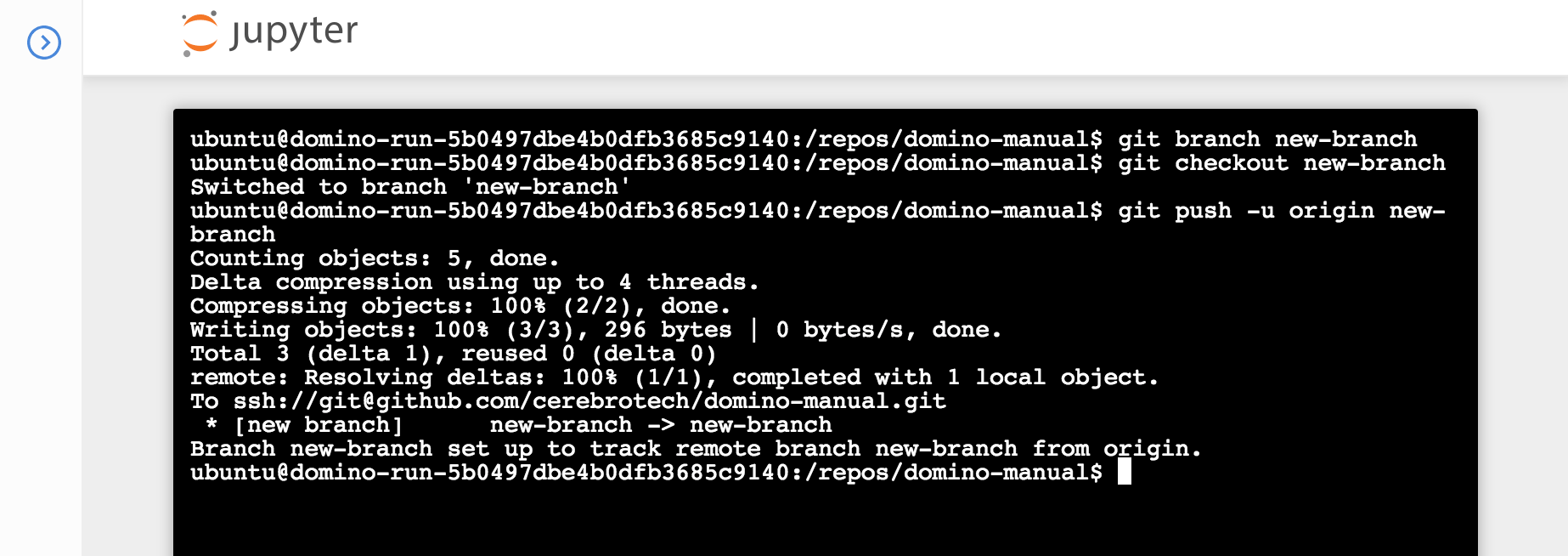
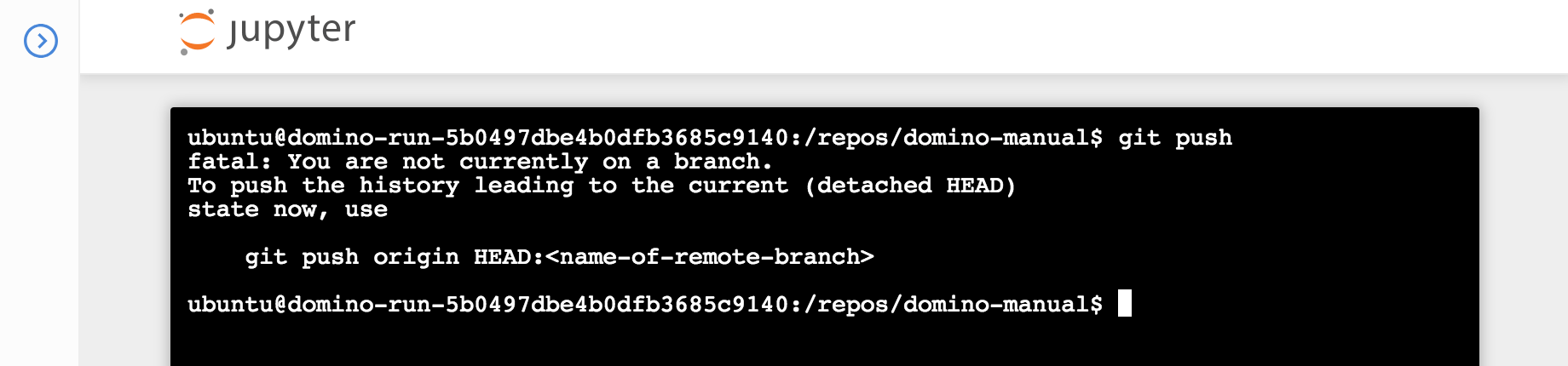 The solution is to create a local branch from your detached HEAD, check it out, and push to remote with `git push -u origin`.