

- Independent compute environment and hardware tier
- Dedicated branch or revision
- Custom launch script that starts the web server
- Deep linking support to access specific views within the App
- Custom URL path for easier sharing
Publish an App
Domino guides you through App publication in the UI. The process includes these steps: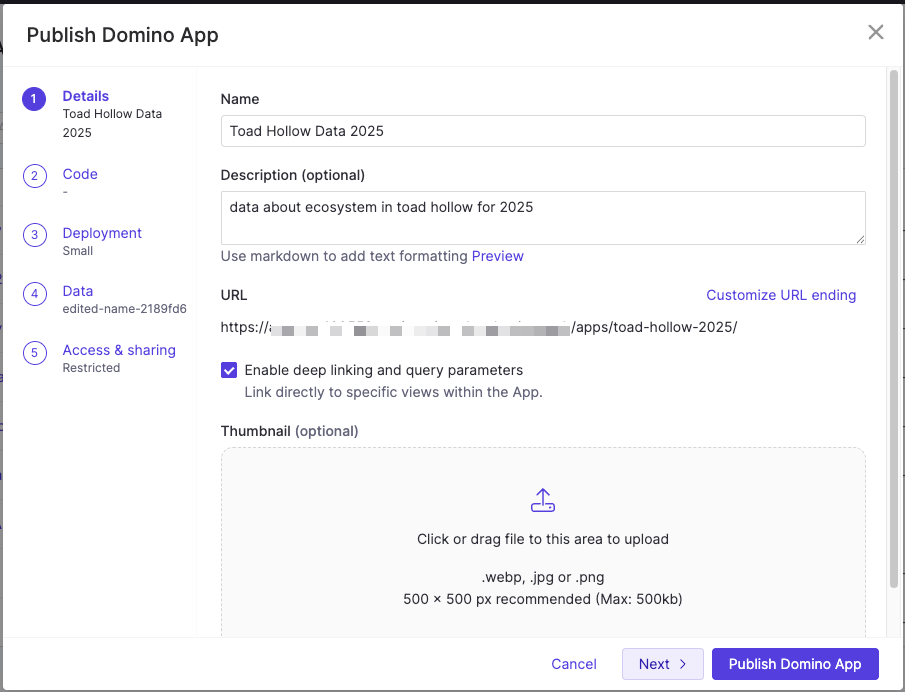
- Go to Deployments > Apps & Agents and select Publish App.
- Enter a name and optional description. For Git-based projects, select a branch or revision.
- Choose a compute environment, hardware tier, and launch file (the script that starts the your web server).
- Attach required datasets or data sources.
-
Set access controls and optionally define a custom URL path (for example,
/apps/demo). - If available, select Enable deep linking to link to specific views within the App.
- Click Publish Domino App.
Manage access to Apps
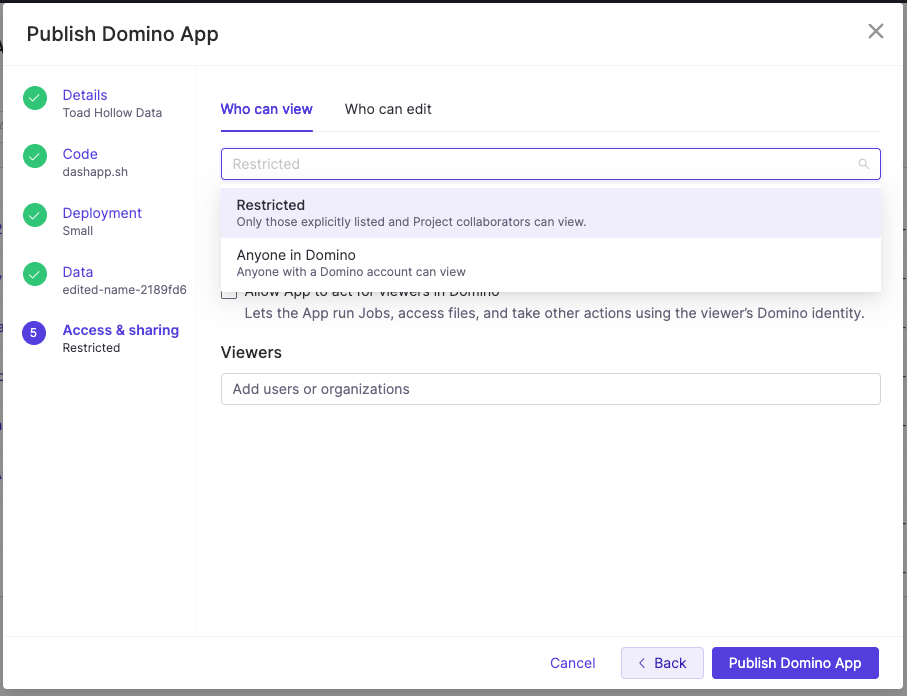
Domino enforces access and sharing at the proxy level before any request reaches your App logic. Configure these settings when you publish the App or later through the Share App dialog. Control who can view an App by selecting a sharing mode: Restricted- Only users you explicitly list and Project collaborators can view or edit the App
- The Access & sharing view lets you specify the users or organization that can access the App
- Anyone with a Domino account can view or edit the App
- No user management options appear in the Access & sharing view
Share App dialog and notifications
The Share App dialog lets you review pending requests, grant or deny access, and track notifications.- Pending requests: Pending requests appear with Accept and Deny options.
- Access request notifications: Domino notifies users by email and within Domino whenever someone requests access. Notifications include the requester’s name, the app name, the project, and a link to the Share App dialog.
- Access granted notifications: Domino notifies users by email and within Domino whenever you grant access. Notifications include the App name and a link to its details page.
Allow Apps to act for viewers
By default, apps in Domino act with the identity and privileges of the app publisher, not the app viewer. This means all viewers share the publisher’s permissions when the app accesses Domino resources. Only SysAdmins or CloudAdmins can enable this feature. However, some apps require each viewer’s identity to function properly. Enable Allow App to act for viewers in Domino when your app needs to:- Query datasets with row-level security based on each viewer’s permissions
- Launch jobs or workloads on behalf of viewers
- Access data sources that require viewer credentials
- Perform any Domino action using the viewer’s identity instead of the publisher’s identity
Next steps
- Apps in Domino gives an overview of how apps work within the Domino ecosystem.
- Learn more about how Apps in Domino run and what identity and permissions are used.
- Use Best Practices for Apps to make your apps easier to find and maintain.