

Tag Browser
The Tag Browser provides a tree-based view of the full taxonomy alongside the assets tagged within it. Selecting a tag shows all assets that contain it; tag counts on each node give an at-a-glance sense of how the catalog is distributed. Go to Govern > Tag Browser.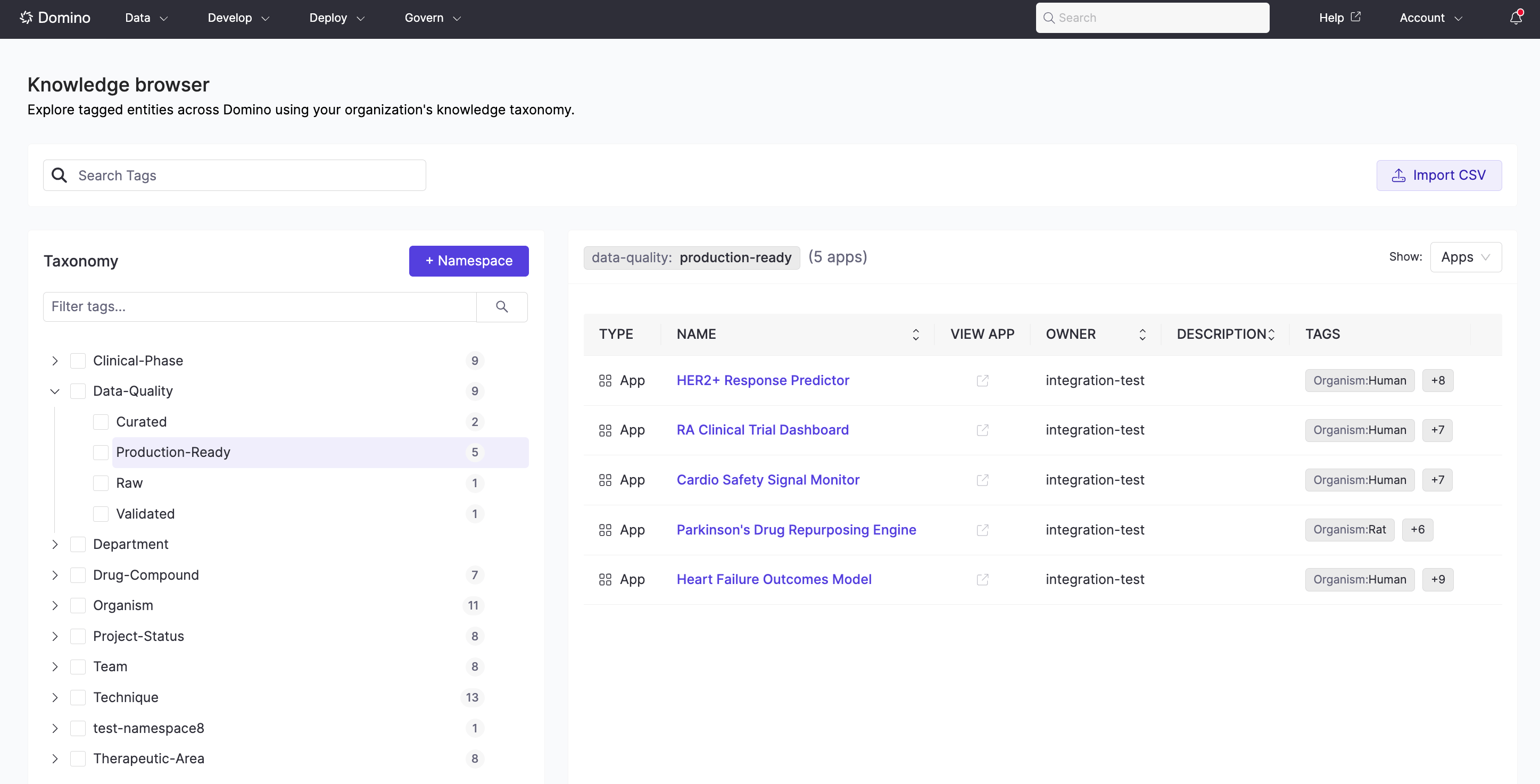
Search
The global search indexes tag labels and descriptions, so assets are findable by tag even through Domino’s main search bar — without knowing the exact namespace or tag path.Entity-specific views
Each entity type surfaces tag filtering in context. When you type a namespace name followed by a colon, the search field narrows suggestions to tags within that namespace only — making it fast to filter by a specific classification axis.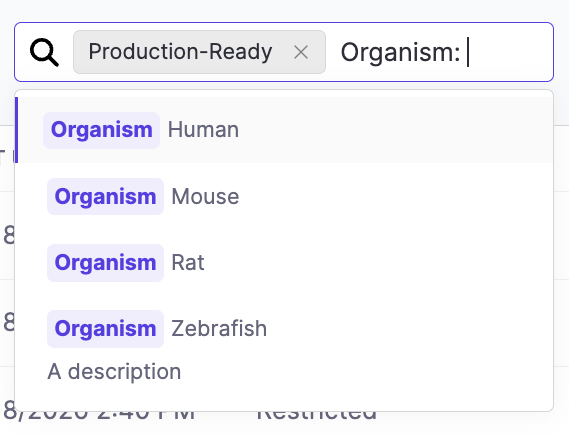
Next steps
- Apply Tags: Assign tags to your Apps, Projects, Project Templates, Datasets, and NetApp Volumes.
- Manage Taxonomies: Build and maintain the taxonomy structure (Admins and Librarians).