

- One or more policies
- Evidence for each policy
- Attachments
- Findings
- Approvals
Bundle compliance
In Domino, compliance is a status derived from the state of a bundle’s underlying policies. Domino calculates it as follows:- Policy compliance: A policy is compliant when you’ve obtained every stage approval up to the policy’s current stage.
- Bundle compliance: A bundle is compliant when all its policies are compliant.
Create a bundle
You can create a bundle directly from a Domino Project to start the formal review process.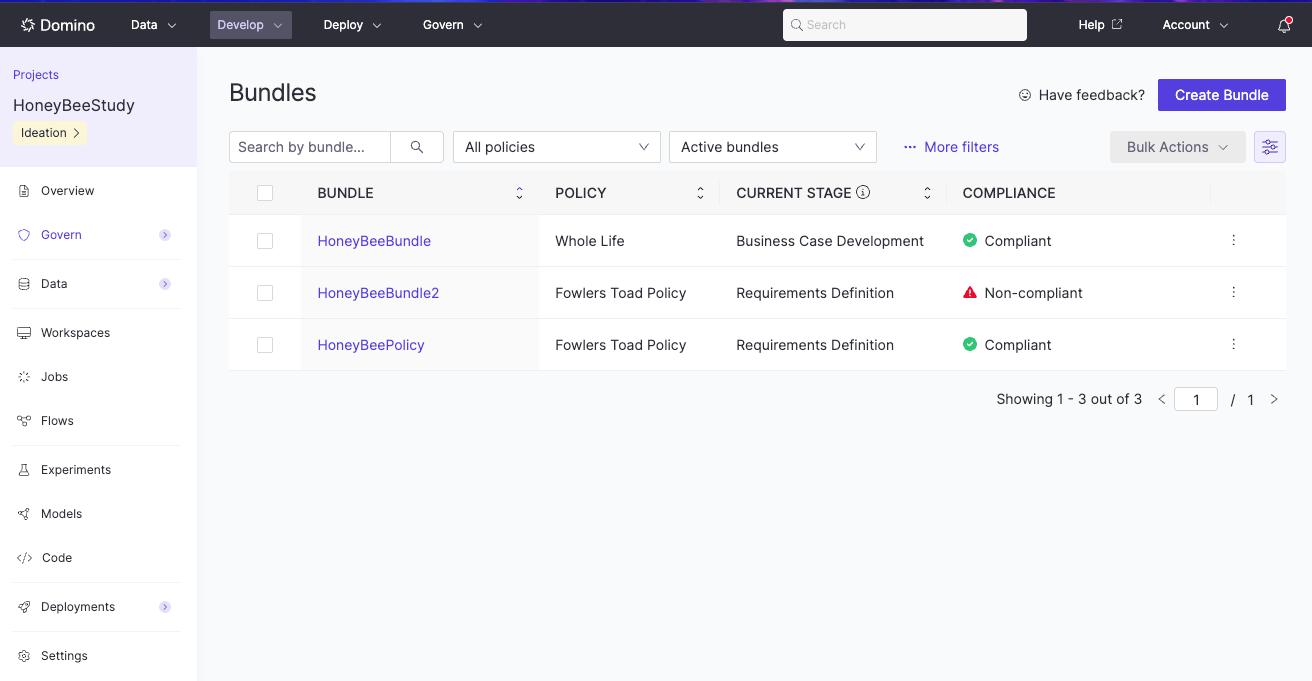
- Open your Project and select Govern > Bundles from the left navigation.
- Click Create Bundle and provide a name and summary that describes the purpose of your model, app, or agent.
- Select one or more policies that correspond to your project’s risk profile or regulatory requirements, then click Create.
Manage stages across bundles
The global Bundles page includes a Stages view with one row for each stage in the primary policy of every bundle you can access. Filter the table by Project, bundle, policy, stage, status, or assignee to find work that needs attention. To assign several stages to the same person, select the rows, choose the bulk reassignment action, and select an assignee. Domino applies the change only if you have permission to manage every selected stage.Next steps
- Govern models, apps, agents, and files: link assets to a bundle for review
- Use the Evidence notebook: document work and collect evidence
- Attachments: distinguish linked models, endpoints, Apps, Agents, and files from supporting documents, Dataset assets, and NetApp Volume evidence
- Add findings to a bundle: document issues and track resolution
- Review and approve bundles: submit bundles for review, approve or reject stages, and grant conditional approval with findings