

Prerequisites
Before setting up the MLOps pipeline, ensure you have:- A GitHub account with a repository for your ML project.
- Git installed on your local machine.
- A basic understanding of GitHub Actions workflows.
Connect a Domino Project to a Git repository
Domino Projects can contain one or more Workspaces. A Domino Workspace is an interactive session where you can conduct research, analyze data, train models, and more. Use workspaces to work in the development environment of your choice, like Jupyter notebooks, RStudio, VS Code, and many other customizable environments. When you edit and save code and other files in a Workspace session, Domino will automatically sync these changes into your Git repository, which will execute the GitHub Actions defined above. These actions will orchestrate running the data preparation or model training jobs and even deploy the models, depending on the configuration of your GitHub action.- In the Domino navigation pane, click Projects > New Project.
- In the Create New Project window, enter a name for your Project.
- Set your Project’s Visibility.
- Click Next.
- Under Hosted By, click Git Service Provider.
- Select the Git Service Provider currently hosting the repository you want to import. This is the target repository.
- Select the Git Credentials authorized to access the target repository.
- Click to Choose a repository or Input Git URL. If you are using PAT credentials with GitHub or GitLab, you can select Create new repository.
- Click Create.
Set up a GitHub repository
Start by setting up a new GitHub repository or using an existing one where your ML code resides. To prepare your repository:- Add your ML code, data files, and any necessary configuration files to the repository.
-
Organize your repository with clear directory structures and
READMEfiles to guide other users or collaborators. - Ideally employ Infrastructure-as-Code (IaC) techniques to ensure infrastructure requirements, like Hardware Tiers and Environments, are also automatically provisioned as part of the MLOps pipeline.
Step 1: Create GitHub Secrets
GitHub Secrets store sensitive data, like API keys and access tokens, which you can use in your GitHub Actions workflows. For this setup, you will need secrets for your Domino access credentials or other sensitive data necessary for your workflows.- Navigate to your repository settings.
- Go to Secrets and select Actions.
-
Create necessary secrets by selecting New repository secret. Common secrets include the
DOMINO_USER_API_KEY, which are the credentials with which GitHub will connect to Domino to execute the Domino API to facilitate the steps of the workflow.
Step 2: Set up the GitHub Actions workflow
GitHub Actions workflows are located in the.github/workflows/ folder for the end-to-end MLOps pipeline. The pipeline includes stages for data preparation, model training, and model deployment. There are three workflows, Dev, Staging, and Production, representing different stages for the MLOps pipeline. The configuration file, cicd-e2e-mlops-env-variables.ini in the src/cicd folder of the repository, provides options to configure your data preparation, training, or deployment during different stages of your MLOps pipeline.
Create a .github/workflows directory in your repository if it doesn’t already exist. Inside this directory, you can define your workflow files.
Separate environments
It’s important to have a controlled process to separate changes in a development or staging environment before going to production. This can help prevent unintended consequences. However, there are multiple ways to achieve this. See Deploy to production for more detail on how to separate environments.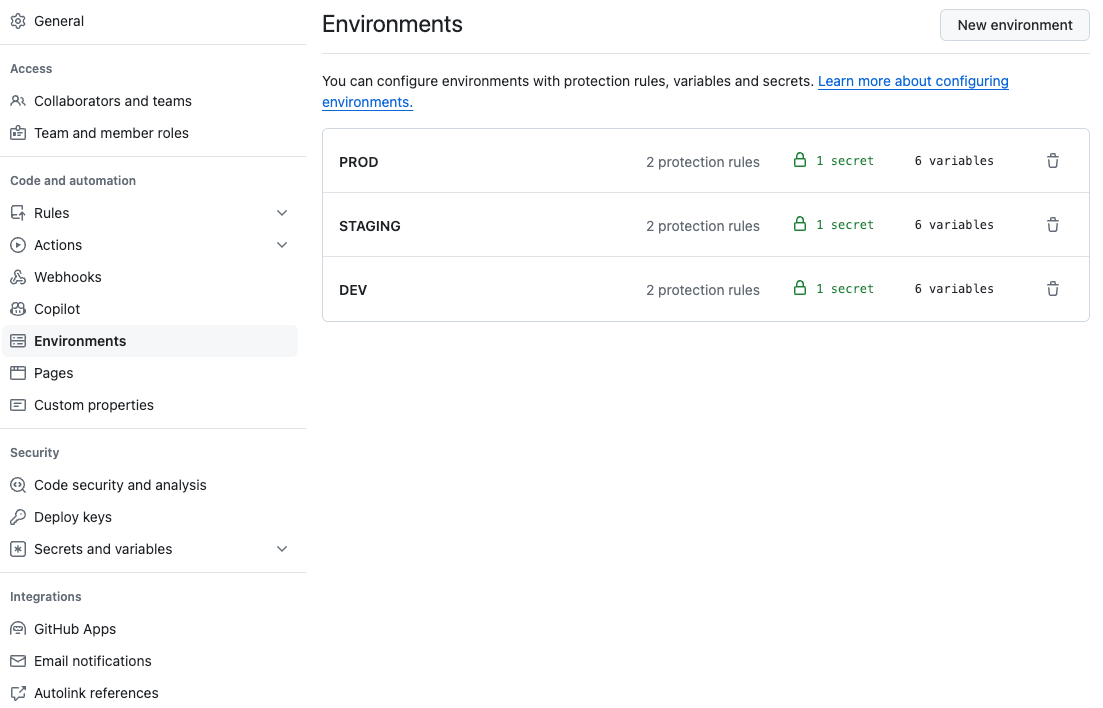
Environment variables
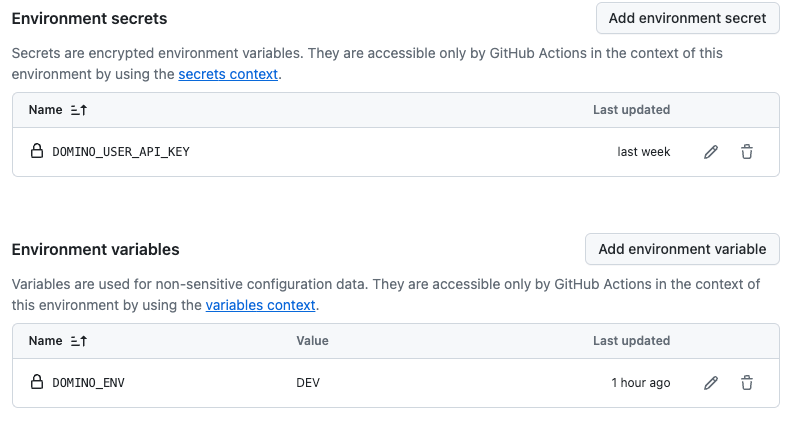
Regardless of how you separateDev, Staging, and Production, you’ll often need to use different environment variables, passwords, and other secrets for each. Be sure to configure them. For example, you may use a different Domino service account for Dev than for Production and you’ll need to get the User API Key for each. To learn about service accounts and API authentication, see Domino API authentication.
Approve changes in production
Optionally, you can leverage GitHub or other external services to gate, coordinate, and record the actual approvals. In this case, using GitHub’s integrated approvals will prevent the code from running in the production environment to run the jobs or deploy models to ensure that only allowed changes happen in production.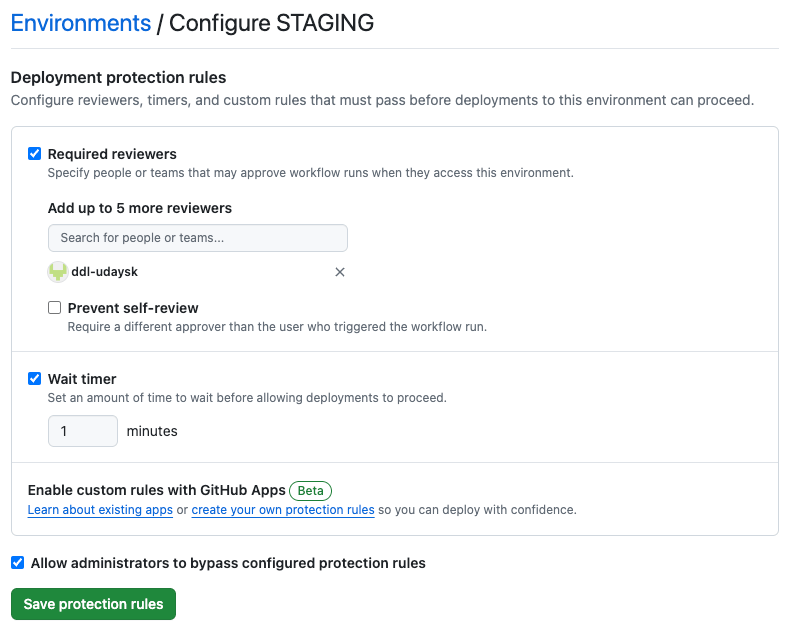
Train and validate models
Create a workflow file (e.g.,ml_train_deploy.yml) to define the steps for training and deploying your model.
Register and deploy models
Optionally, create a GitHub Action workflow to register and deploy your models:Step 3: Configure the training and deployment scripts
Ensure your repository includes scripts referenced in the workflow, such astrain.py, save_model.py, and deploy_model.py. These scripts should handle the following:
-
Training the model:
train.pyshould include code to train your ML model. -
Saving the model:
save_model.pyshould handle saving the trained model to a designated storage or model management service. -
Deploying the model:
deploy_model.pyshould include code to deploy the model to a production environment or a model serving platform.