- Increased consistency between projects
- Faster project setup
- Better adherence to best practices
- Stronger collaboration
Which project artifacts are copied?
When you copy a Git-based project, certain configurations and materials are copied to the new Project while others are not:| Copied | Not copied | |
|---|---|---|
| Project overview | Tags, description, and README | |
| Project materials | Files, artifacts, code, datasets and imported Git repository, imported projects | External data sources, audit data, run history, discussion history |
| Project settings | Environment variables, hardware tier, environment, results, exports, integrations, and visibility (public, searchable, private) | Access and sharing |
| Other | Published applications, Domino endpoints, and Launchers |
Datasets can only be copied to a new project through the Domino API with the parameter
copyDatasets:true. See the code examples below.Deep copy vs. reference copy
To support different needs, Git-based projects support two modes of copy: reference copy and deep copy. Deep copyThis creates an independent copy of the original repository. Use this when building a brand new project from an existing project. You can create a deep copy using the Domino UI or the API. Reference copy
All the changes in one project are reflected in all the referenced projects. Use this when multiple parallel projects rely on the same main Git repository. For example, this is a common scenario for statistical analysis in the pharmaceutical field. You can only create a reference copy using the Domino API.
Create a deep copy
Using the Domino UI or the API, you can create a deep copy of any Git-based project. This creates a copy of the original repository that you can modify independently.Deep copy using the Domino UI
-
Navigate to the Git-based project you want to copy, then click the Copy button.
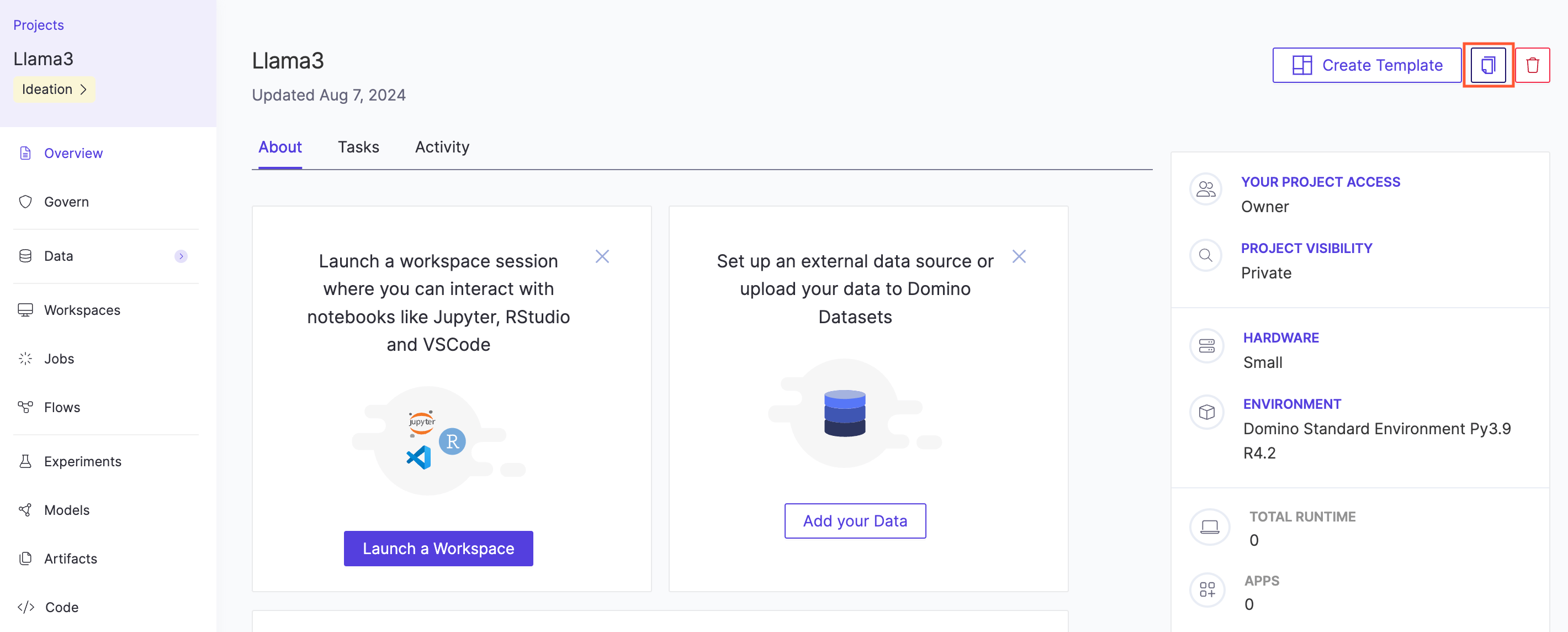
- Enter the name for your new project, then click Next.
- Enter your Git credentials, then click Copy.
Deep copy using the Domino API
Create a reference copy
When you create a reference copy, all the changes in one project are reflected in all the referenced projects. Use this when multiple parallel projects rely on the same main Git repository. The Python example below illustrates how you can automatically create a reference copy of a project using the Domino API.Troubleshooting: Dataset copy error
copyDatasets=true.
Limitations & requirements
- Only GitHub, GitHub Enterprise, GitLab, and GitLab Enterprise are supported providers. Other providers such as Bitbucket are not supported.
- SSH credentials are not supported. You must use a Personal Access Token with repository read and write permissions enabled.
-
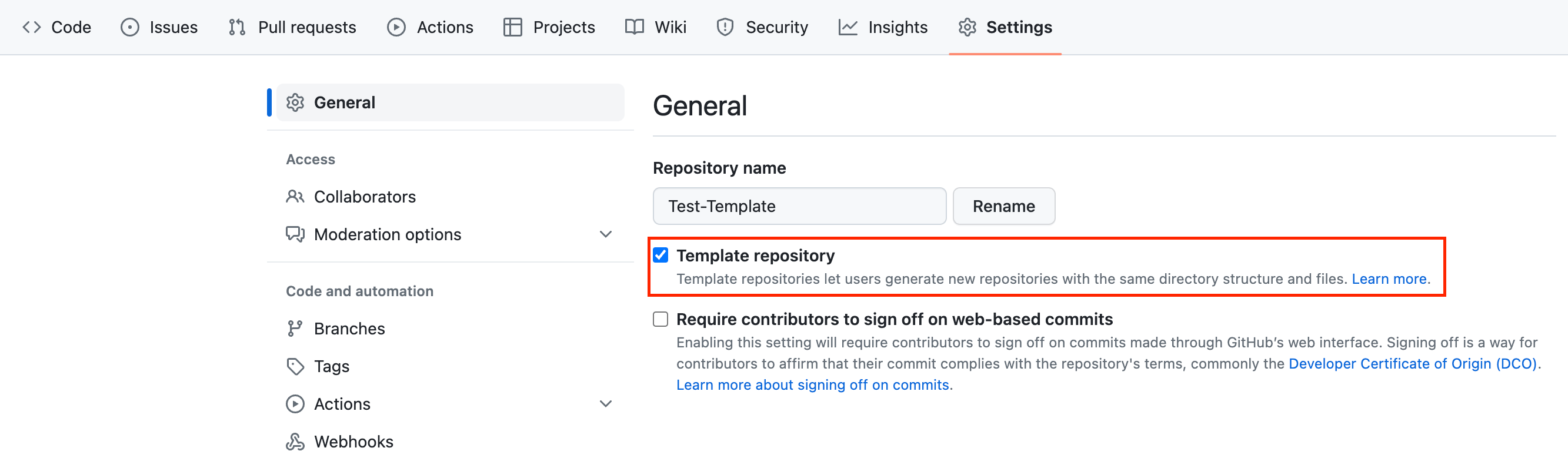
In order to copy a Git-based project, the GitHub repository you want to copy must be a template repository: