

Setup
This demo uses a Domino project with a single dataset for predicting diabetes. The project has no existing code or models.- Create a new Domino project or use an existing one with a dataset.
- Launch a VS Code workspace using the Domino Standard Environment.
- Open Claude Code and authenticate (as explained in Get started).
Step 1: Activate the modeling assistant
In the Claude Code prompt, type:- Claude Code activates the domino-modeling-assistant skill and begins by detecting the Domino environment.
- The agent identifies the project, locates the dataset, and starts the workflow.
Step 2: Train models as Domino Jobs
The agent writes a data analysis script, generates a parameterized PyTorch model, creates a training script with MLflow tracking, and submits training as Domino Jobs. All steps run automatically.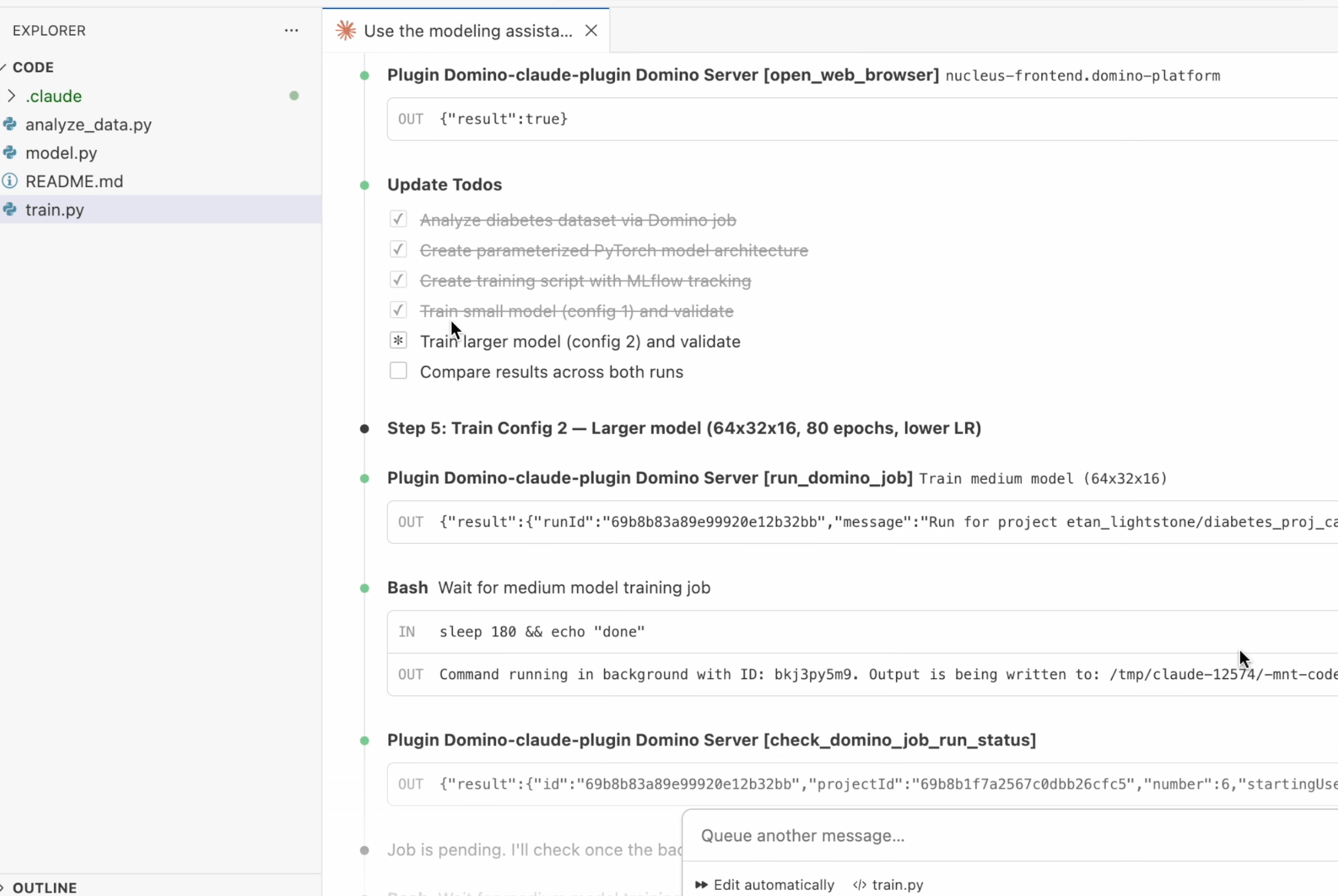
- Training runs as a reproducible Domino Job, not inline in the workspace.
- All parameters, including batch size, learning rate, epochs, and architecture, are logged to Experiment Manager.
- The agent trains multiple models with different configurations for comparison.
Step 3: Review results in Experiment Manager
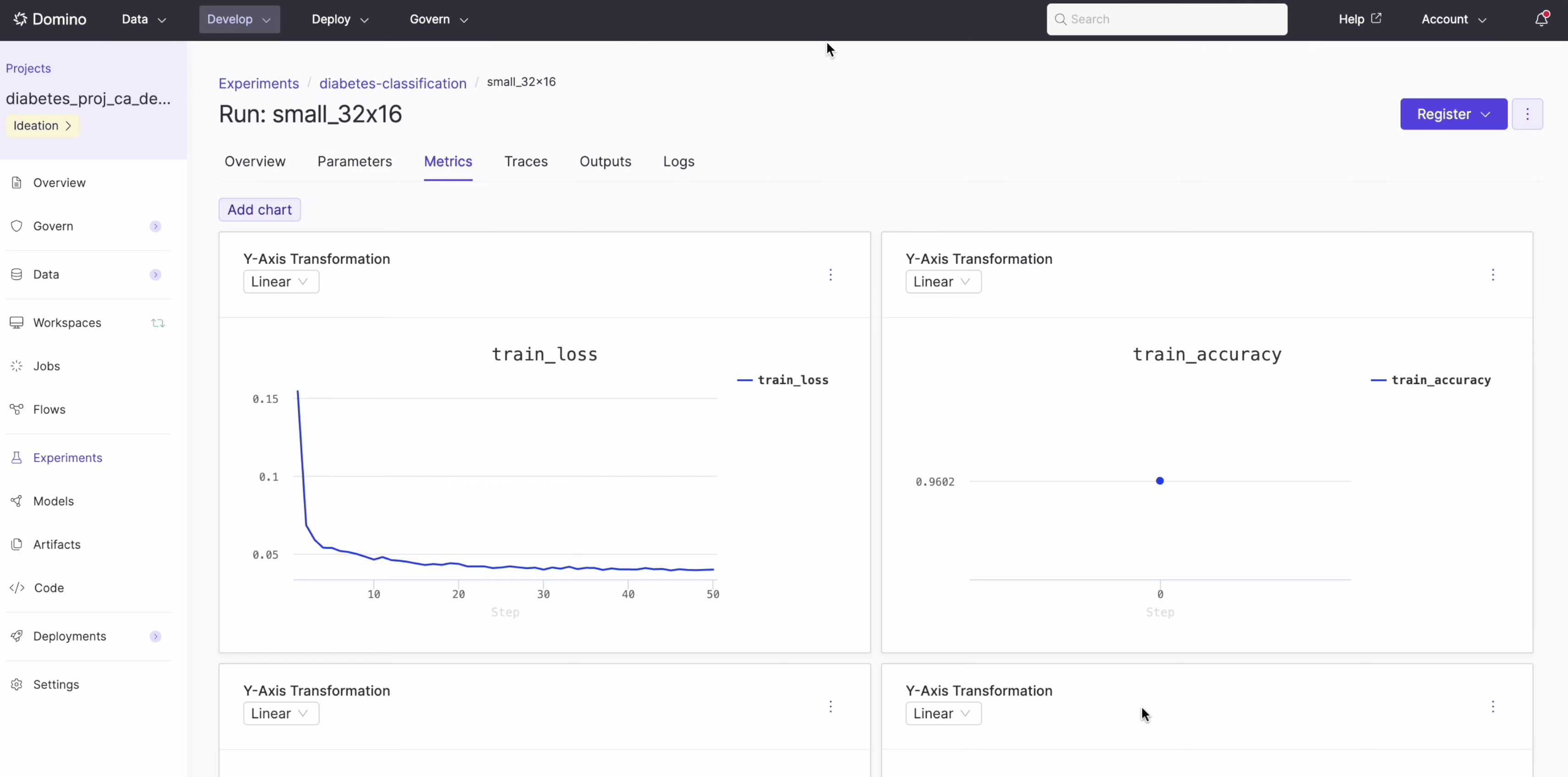
Experiment Manager tracks each training job with complete parameter lineage. Navigate to Experiments in your project sidebar to see the runs. The experiment view displays:- Training loss and accuracy curves over time.
- Model parameters, including activation, batch size, dropout, epochs, and hidden layers.
- Full lineage back to the training job and code.
Step 4: Compare models
After all models finish training, the agent generates a comparison grid showing both models side by side with key takeaways: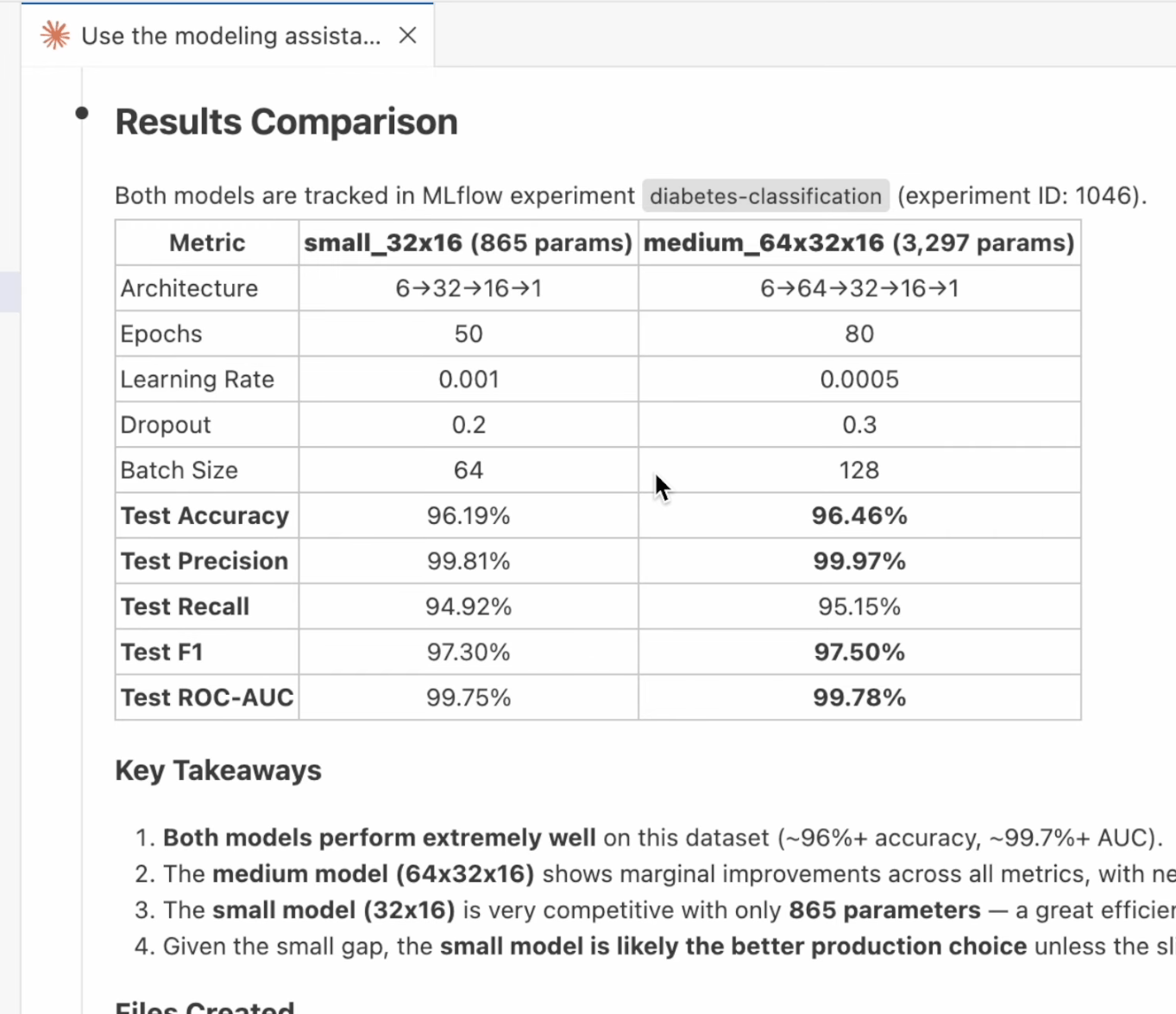
The agent concluded the small model is the better production choice given the marginal accuracy difference and significantly fewer parameters.
Step 5: Register a model
From the Experiments view, register any trained model to the Domino Model Registry by clicking the Register button on the experiment run.Summary
In this walkthrough, the modeling assistant skill handled the complete workflow:- Detected the Domino environment and project structure.
- Explored and analyzed the dataset.
- Generated a parameterized PyTorch model and training script.
- Submitted training as reproducible Domino Jobs.
- Tracked all parameters and metrics in Experiment Manager.
- Compared multiple model configurations with recommendations.
Next steps
- Domino Skills: Explore all available skills beyond the modeling assistant.
- Custom environments (advanced): Add additional agents or customize your setup.