

Track and log Jobs with MLflow
It’s a Domino best practice to use MLflow to log experiment metrics and other key metadata. Domino implements MLflow and hardens the MLflow experience by providing role-based access controls (RBAC) on top to limit access to sensitive information.View Job results and details
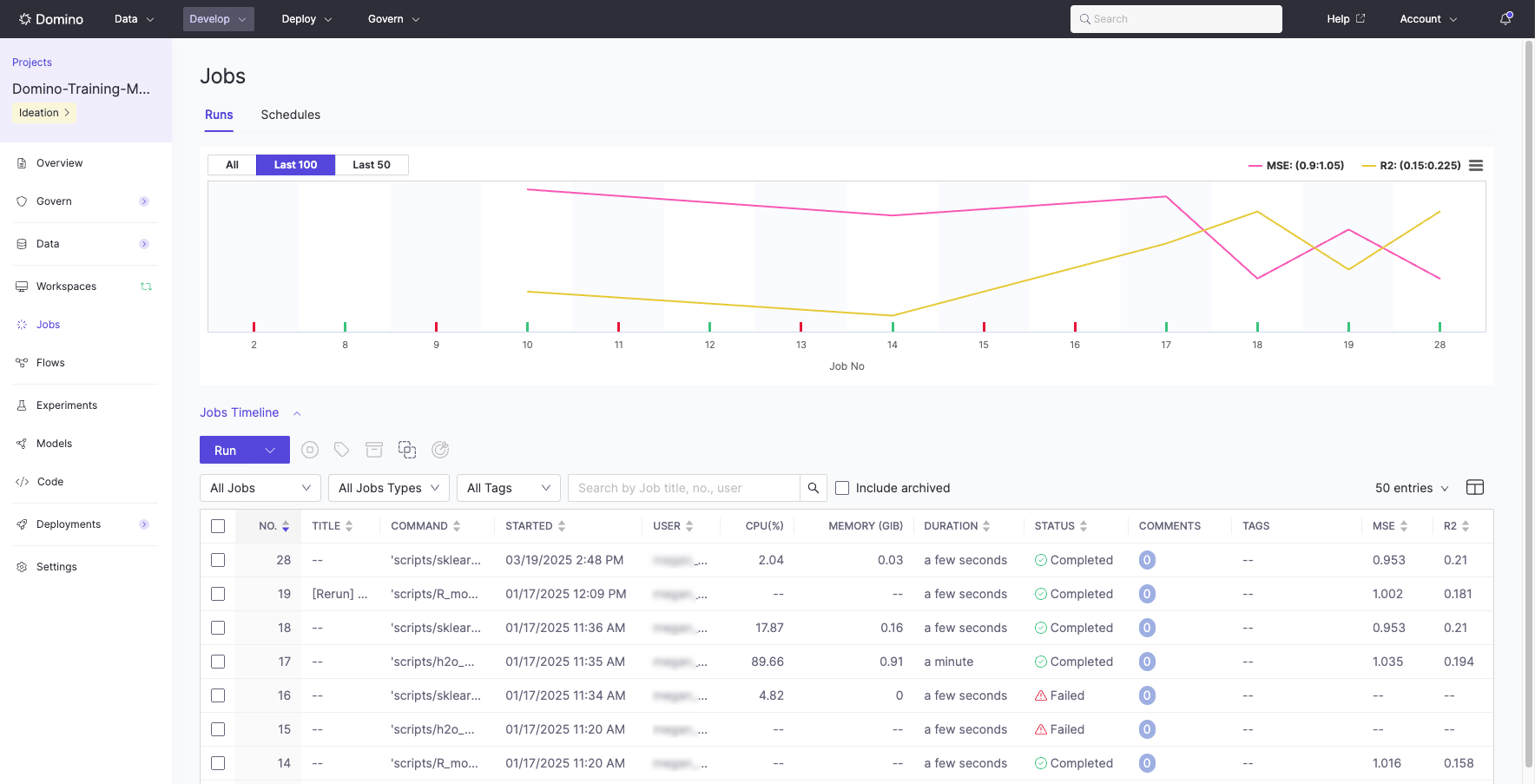
You can see the information about a Job and its results on the Jobs dashboard. Job results are any files created or modified during the Job run. Domino stores versioned key Job components to ensure reproducibility.- From the navigation pane, click Jobs. Use Filter table entries to filter the list of Jobs.
- Select the row for a Job to open the Job details. You can filter the table by Job title with the Search box.
-
Click the tabs to see details such as:
- Logs: Download the Setup Output, User Output, Deployment Logs, and Support Bundle. Domino Support often requests these logs to review and resolve Jobs-related issues.
- Results: See the results for successful Jobs. You can add comments to Job results.
List Jobs programmatically
To retrieve Jobs from a Project outside the UI (for example, from a Workspace, notebook, or external script), call theGET /api/jobs/beta/jobs endpoint. See getJobs in the Domino Platform API reference for the full schema.
From a Workspace or Job
Inside a Domino Workspace or Job, call the API through the API proxy atDOMINO_API_PROXY. The proxy injects the caller’s JWT, so no Authorization header is required. DOMINO_PROJECT_ID is already set for the current Project.
From outside Domino
From a local machine or external system, callDOMINO_API_HOST directly and authenticate with a Personal Access Token (or a Domino Service Account token for unattended pipelines) passed as a bearer token.
GET /api/jobs/beta/jobs/{jobId} or GET /api/jobs/beta/jobs/{jobId}/logs. These are beta endpoints with known limitations and require the ViewJobs permission.