

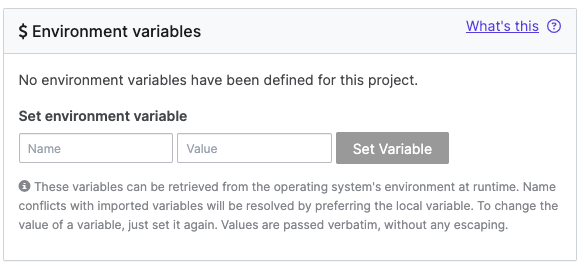
- Open your Project and click Settings.
-
In the Environment variables section, add the following:
-
Name: Enter the variable name. For example,
YOUR_NAME_SHARED_KEY. - Value: Enter a value for the variable. The maximum length for a value is 64K.
-
Name: Enter the variable name. For example,
- Click Set Variable.
Next steps
- Our Best Practices guides you in setting up and maintaining your Domino environments.
- Set up user environment variables for each user. The system injects these variables at execution time for any run initiated by that user.
- Learn to create model variables to add, modify, or delete variables for your models.
- The Default Domino Variables glossary contains details about variables automatically injected by Domino.