

- The environment must use one of the Domino Standard Environments as its base image.
- The necessary binaries and configurations for connecting to your Spark cluster must be installed in the environment. See the provider-specific guides for setting up the environment.
PySpark 2 does not support Python 3.8 or higher. Build PySpark 2 compute environments from images with Python versions before 3.8 or use PySpark 3.
Add a PySpark Workspace option to your Environment
- From the Domino main menu, click Environments.
- Click the name of an environment that meets the prerequisites listed previously. It must use a Domino standard base image and already have the necessary binaries and configuration files installed for connecting to your spark cluster.
- On the environment overview page, click Edit Definition.
-
In the Pluggable Workspace Tools field, paste the following YAML configuration.
When finished, the field should look like this:
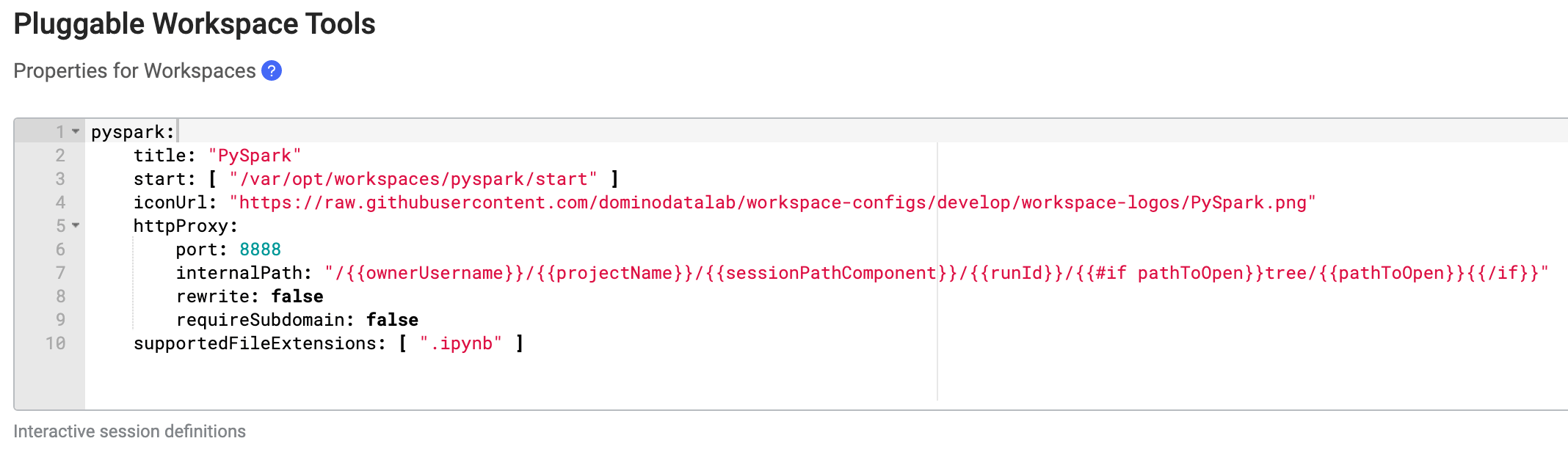
- Click Build to apply the changes and build a new version of the environment. Upon a successful build, the environment is ready for use.
If you are using an older version of a Domino Standard Environment you might require a different Pluggable Workspace Tool definition for PySpark. The safest way to do this is to copy the Jupyter pluggable workspace definition for your base image (see the
README` for your base image at the Domino Analytics Distribution git repo), but replace Jupyter in the title and start fields with PySpark. You can use the same iconUrl specified above to get the correct PySpark icon.Launching PySpark Workspaces
- Open the project you want to use a PySpark workspace in.
- Open the project settings, then follow the provider-specific instructions from the Hadoop and Spark overview on setting up a project to work with an existing Spark connection environment. This involves enabling YARN integration in the project settings.
- On the Hardware & Environment tab of the project settings, choose the environment you added a PySpark configuration to in the previous section.
-
After the previous settings are applied, you can launch a PySpark workspace from the workspaces dashboard.