

- Identify risks such as bias, security gaps, or regulatory non-compliance.
- Evaluate compliance with governance standards and ethical guidelines.
- Suggest improvements to enhance performance, fairness, or accountability.
- Approved: Grant full approval with no conditions.
- Conditional approval: Grant approval with attached findings. Approval is automatically revoked if the findings are not resolved by their due dates.
- Reject: Decline approval and document the findings that must be addressed.
Add findings
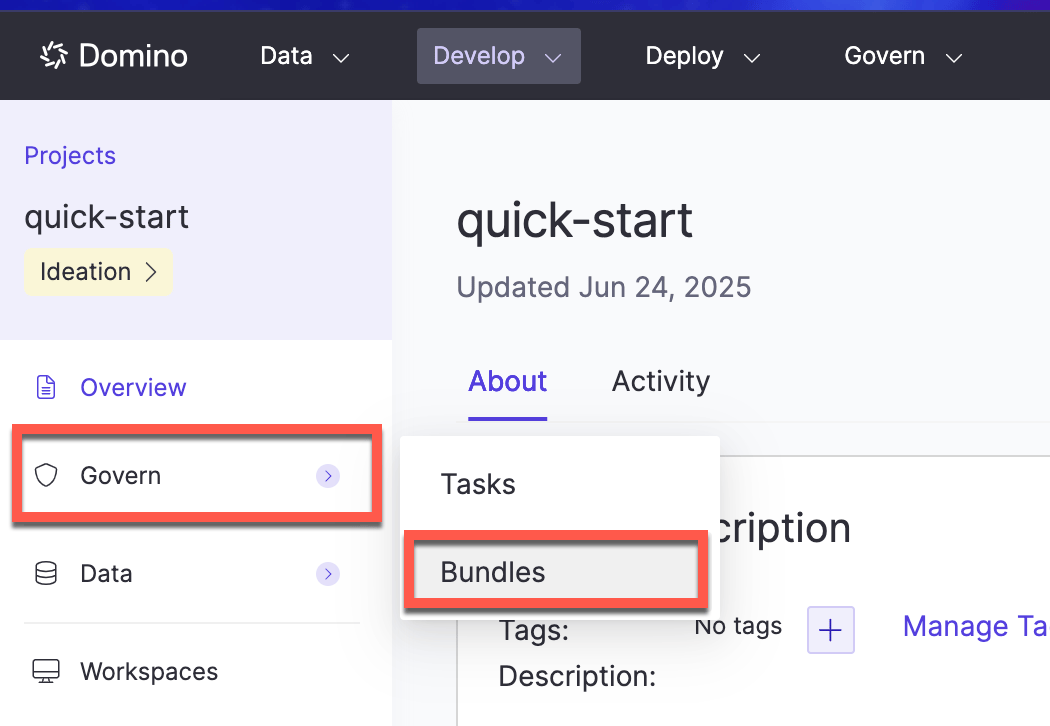
Access the governed bundle directly to add or view findings:- Go to Projects and open the relevant project.
- From the sidebar, select Govern > Bundles.
- Choose the bundle where you want to add or view findings.
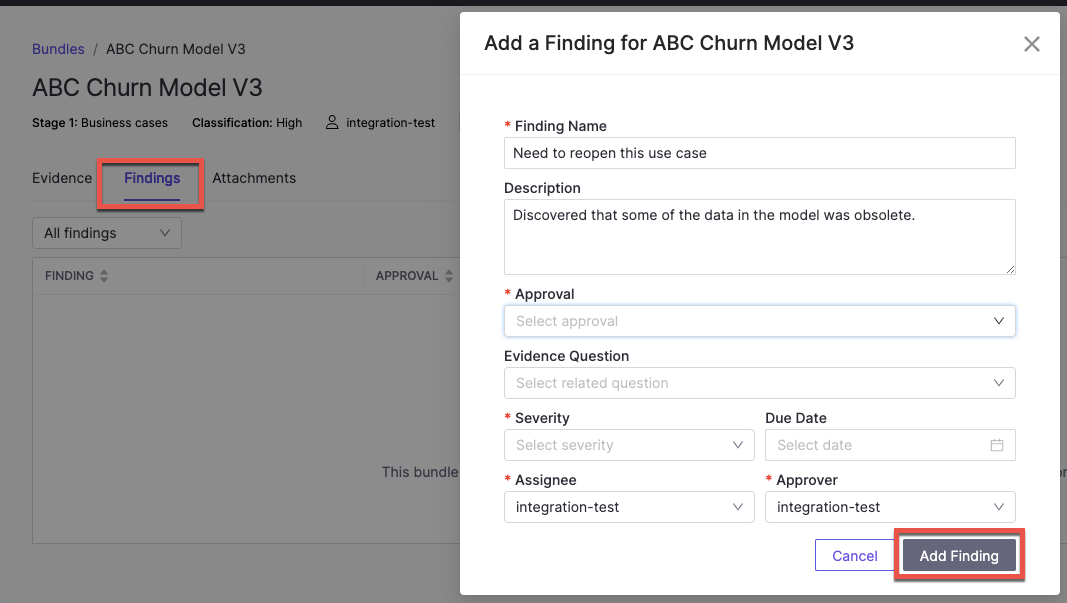
- Evidence: Scroll down and click Add Finding.
- Findings: Click an existing finding to view, or click Add Finding to add a new one.
Address findings from tasks
If you’re assigned a task related to a finding:- Go to Projects, open the relevant project, and select Govern > Tasks.
- Click the task to open it, then click the finding link in the task description to view details.
- On the Findings tab, check the Status menu to see the current stage.
- Leave a comment to provide information or context. You can use Markdown and MathJax in your comment, or @mention people.
- Click Send when finished.
Next steps
- Review and approve bundles: submit bundles for formal approval
- Evidence: learn about manual evidence, automated checks, and monitoring checks
- Gates: control governed actions based on approval status