

Core features
The Evidence notebook provides a unified environment for evidence collection, review, and approval. The following features support the governance workflow.Integrated evidence and review
The notebook is the single interface for satisfying policy requirements. Modelers, reviewers, and validators collaborate in one place to achieve compliance. Modelers answer risk questions and provide technical evidence. Reviewers and validators access the same environment to examine and approve. If a reviewer identifies a gap, they log a finding within the bundle, creating a feedback loop for remediation.Approvals and compliance
Stakeholders grant formal approvals from within the notebook. A bundle reaches a compliant state once you’ve secured all required approvals for the current stage.Completion and archival
Once all requirements are met, you can mark a bundle Completed or Archived. Both are terminal states that freeze the Evidence notebook, so proceed carefully.Access the evidence notebook
Domino creates the Evidence notebook when you attach a policy to a bundle.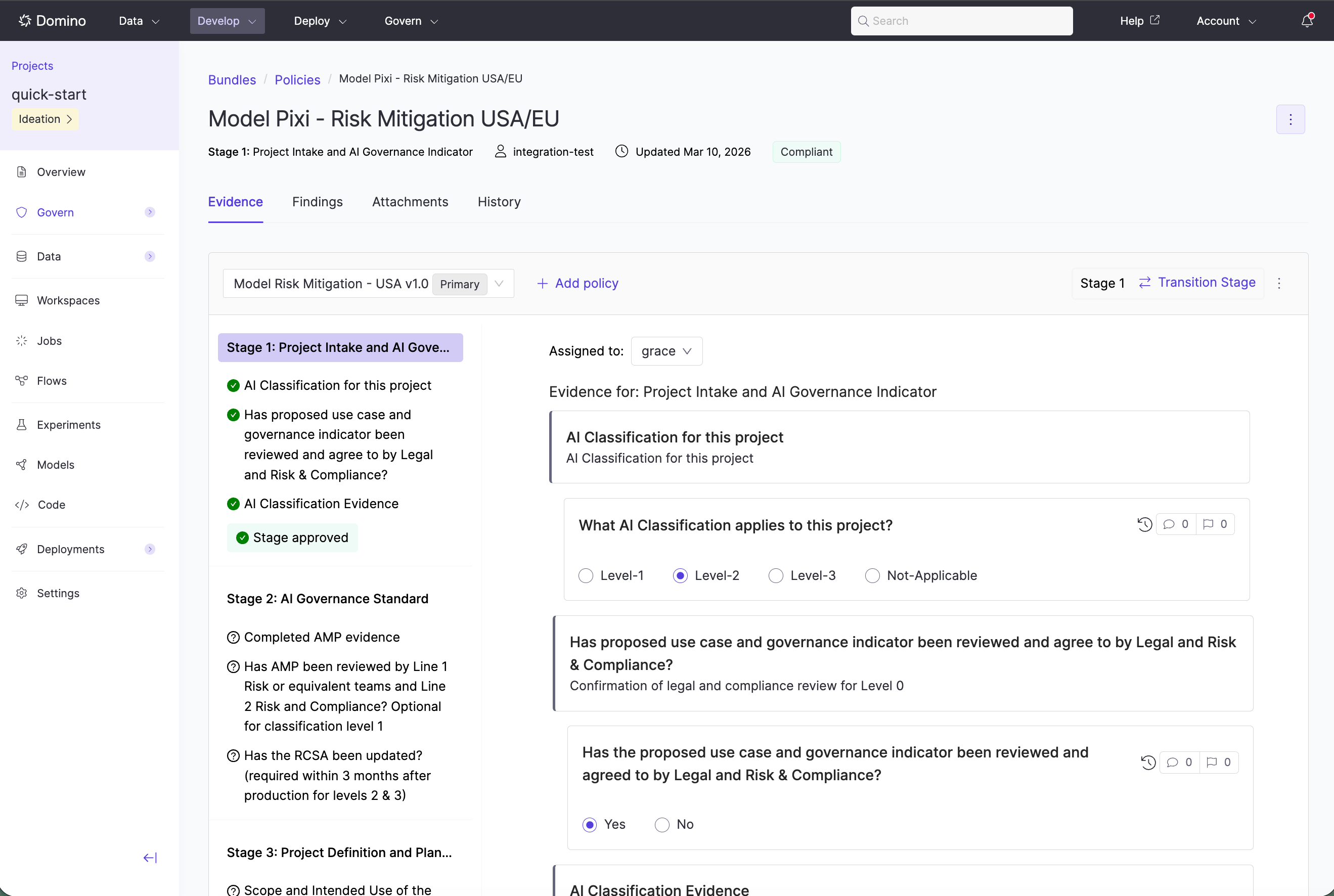
- Navigate to your project’s Govern tab.
- Select the relevant bundle.
- Click a linked policy.
Next steps
- Add findings to a bundle: document issues and track resolution
- Review and approve bundles: submit bundles for formal approval
- Attachments: link assets and supporting evidence to a bundle