

Project Layouts are available in Git-based Projects only. Other Projects keep the standard sidebar.
Use Project Layouts
Create or edit a Layout
Create and edit Layouts centrally from the Layouts tab on the Projects list, or from the sidebar of any Git-based Project. Either way, you pin, unpin, and reorder pages and Extensions, then name the Layout and choose whether it’s public or private. New Layouts are public by default. A Layout you create from a Project’s sidebar is applied to that Project for you right away.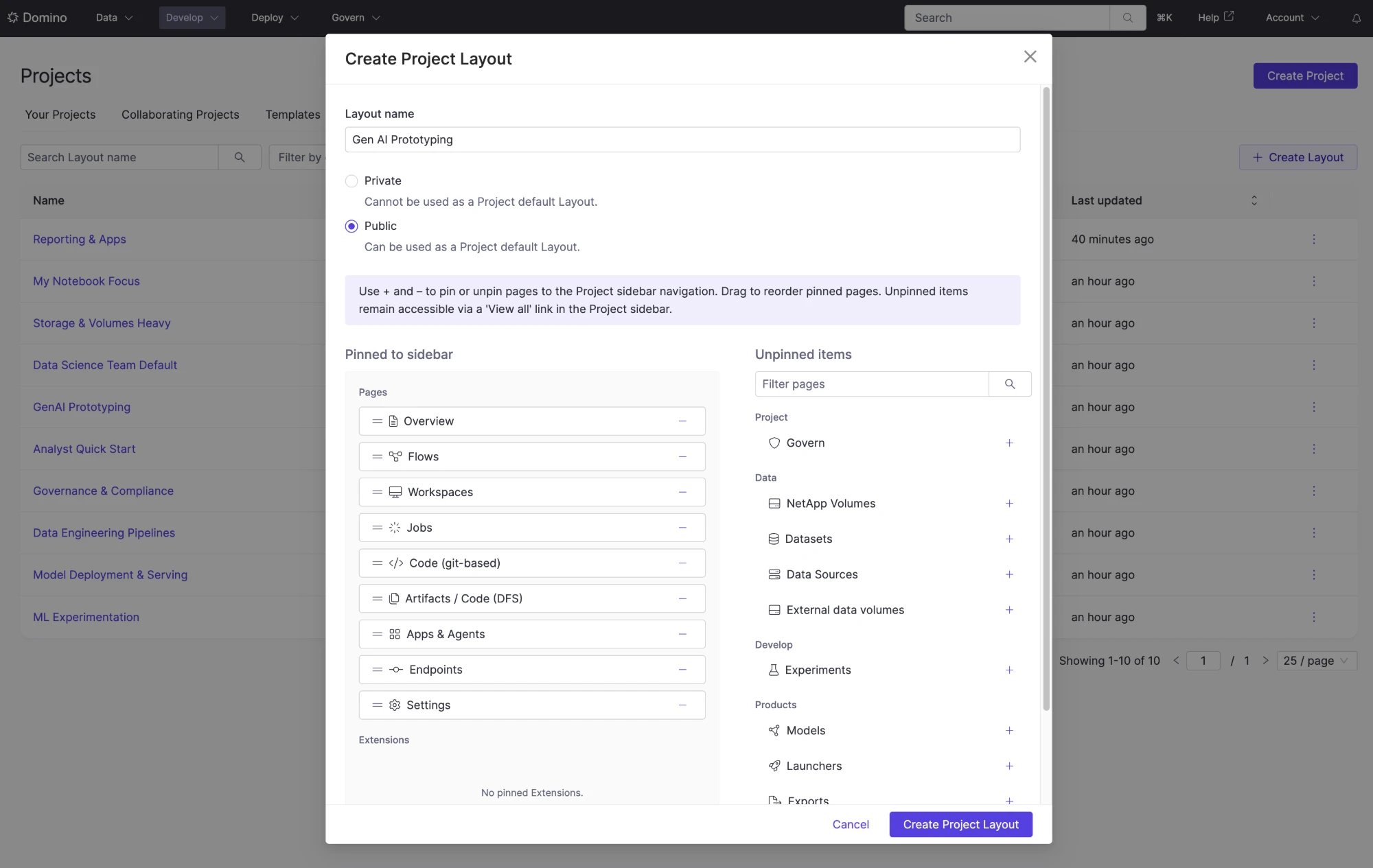
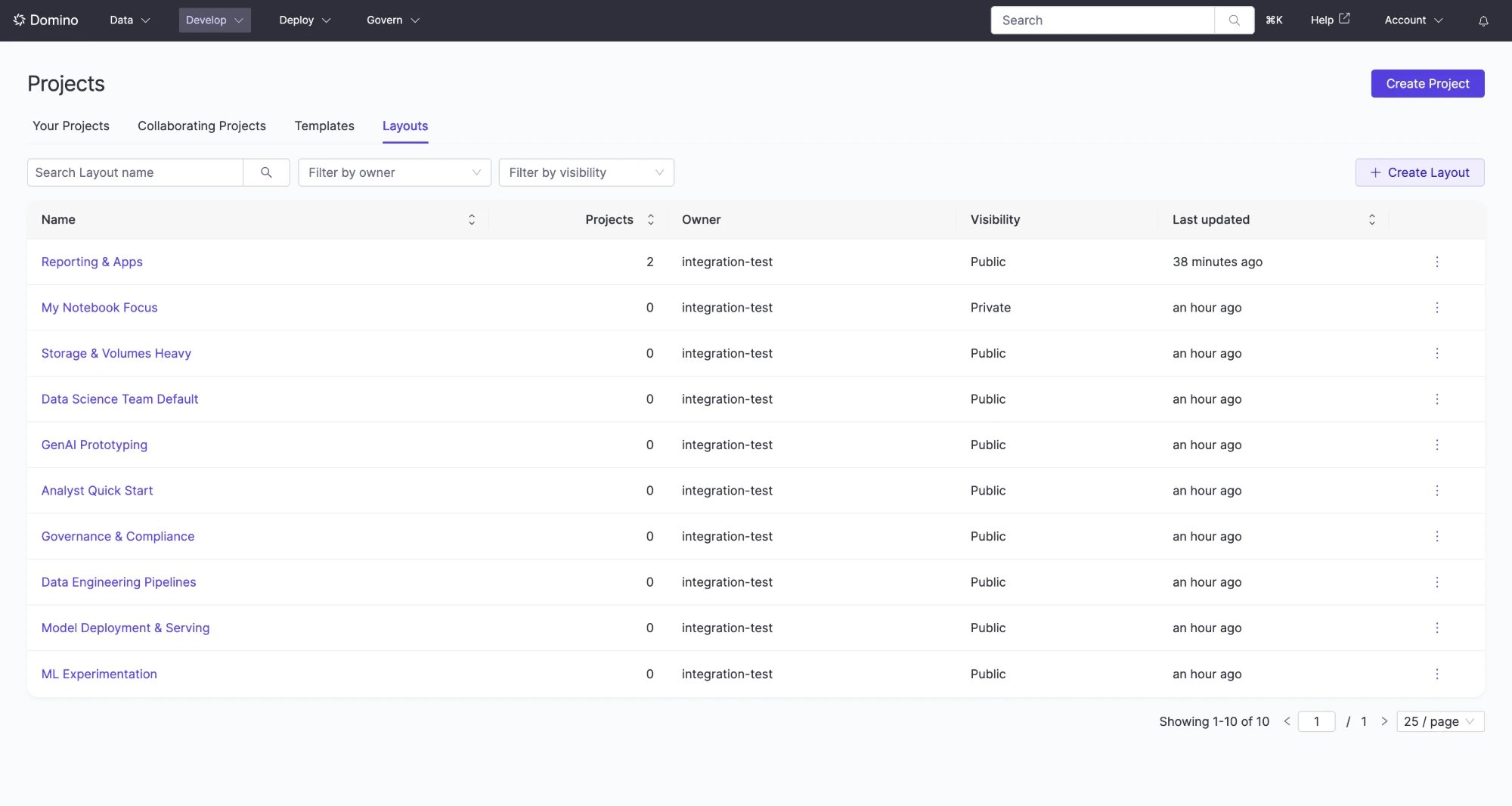
Switch Layouts
Pick a Layout from the Project sidebar, or System default to return to the standard sidebar. The sidebar previews it, and nothing changes until you apply.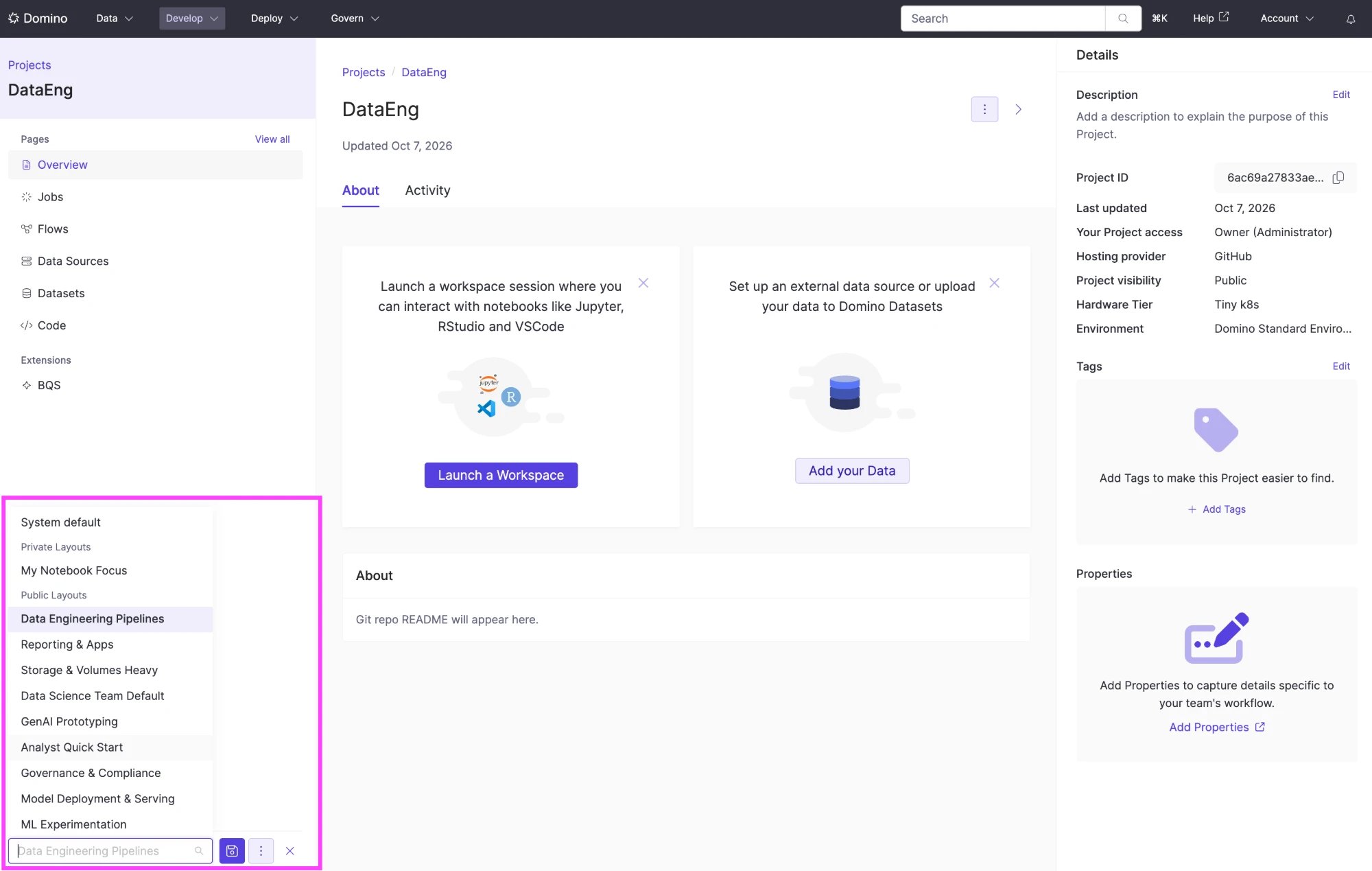
Important details
- Resolution order. Domino shows your personal override if you have one, then the Project default, then the System default (the standard sidebar).
- Private Layouts are yours alone. Only the owner can apply a private Layout; administrators can’t apply someone else’s. Only public Layouts can be Project defaults.
- Setting or clearing a Project default clears every member’s personal override on that Project. Members see the default until they choose a Layout again.
- Edits reach everyone using the Layout, through a Project default or a personal override. While you edit a public Layout, Domino shows how many Projects use it as their default.
- You can edit and delete only Layouts you own, unless you’re an administrator. Duplicate creates a copy you own of any Layout you can see, with the same visibility, and leaves the original unchanged.
- Copying a Project copies its default Layout by reference, not personal overrides. Later edits to the Layout reach both Projects.
- Your deployment can cap how many Layouts each user owns. Users at the limit keep their Layouts but can’t create or duplicate more. To set the limit, ask Domino Support.
Related
- Project settings: the other per-Project defaults, including hardware and Environment.
- Create and manage Extensions: build the Extensions a Layout can pin.
- Collaborate on Projects: the permissions behind Project settings.