Model Monitoring notifications
Users can send notifications to recipients about thresholds that are breached during scheduled checks. Domino sends those notifications by email, so the email server must be configured before any of them go out.1
Set the email server configuration records
In the admin portal, go to Platform settings > Configuration records, then set the keys specified in Notifications for monitoring.
2
Restart services
Click here in the message at the top of the page to restart services.
- Notification channels covers the channels available.
- Set up notifications covers a specific Domino endpoint.
- Set up notifications for a Model Monitor covers a Model Monitor.
Model Monitoring access control
Access to Domino Model Monitor is granted by membership of thedmm-users group in Keycloak. Use the Keycloak UI for a handful of users, and the access control script for a list of them.
- Keycloak UI
- Access control script
-
Open the admin UI at
https://<deployment-url>/auth/adminand log in to Keycloak. -
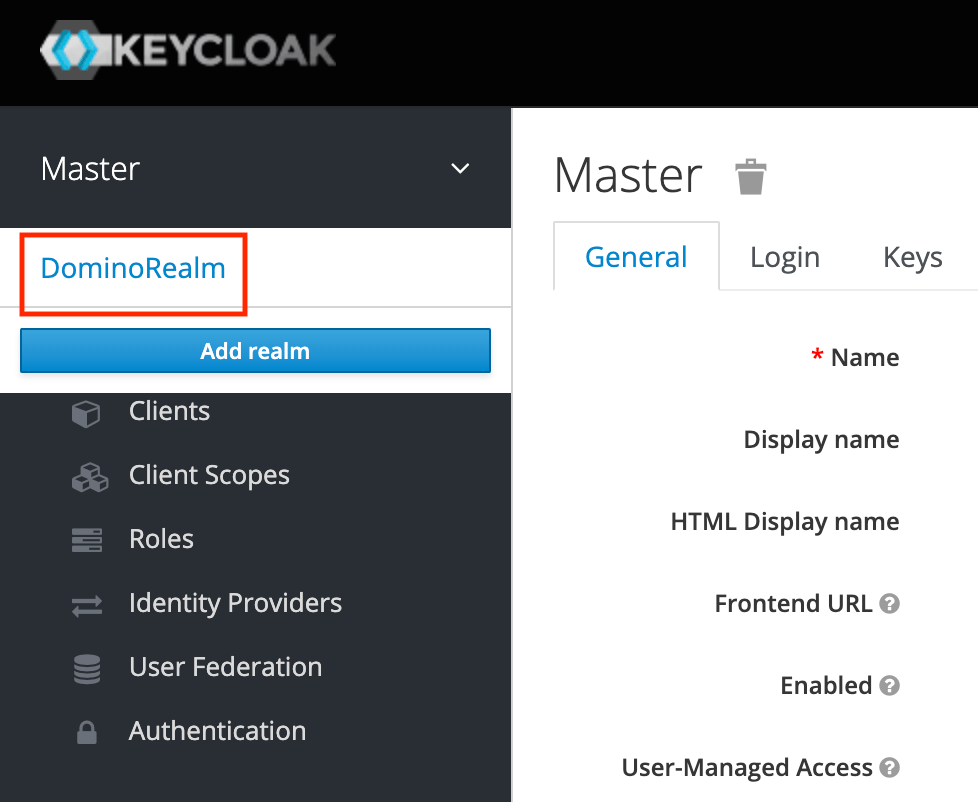
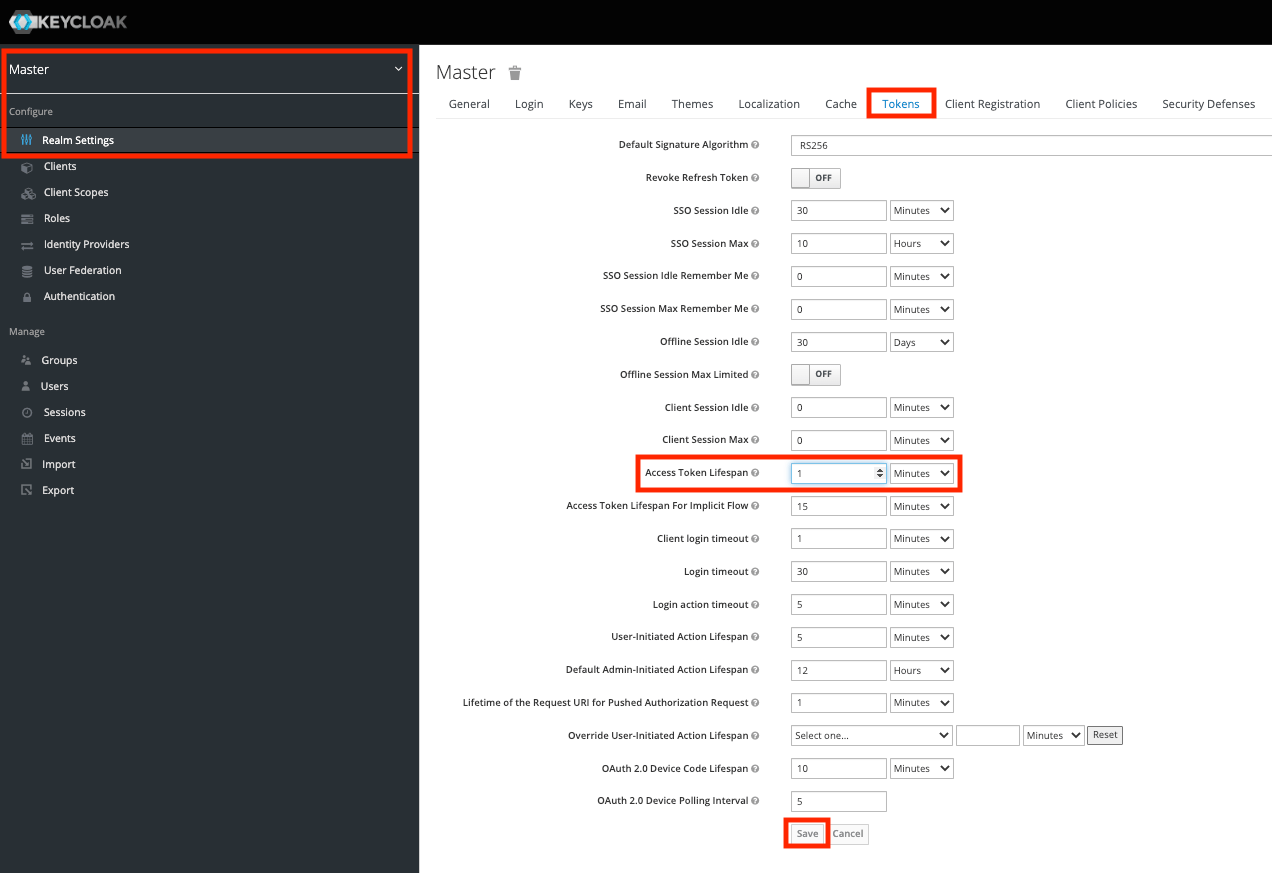
Select the DominoRealm realm from the dropdown:
-
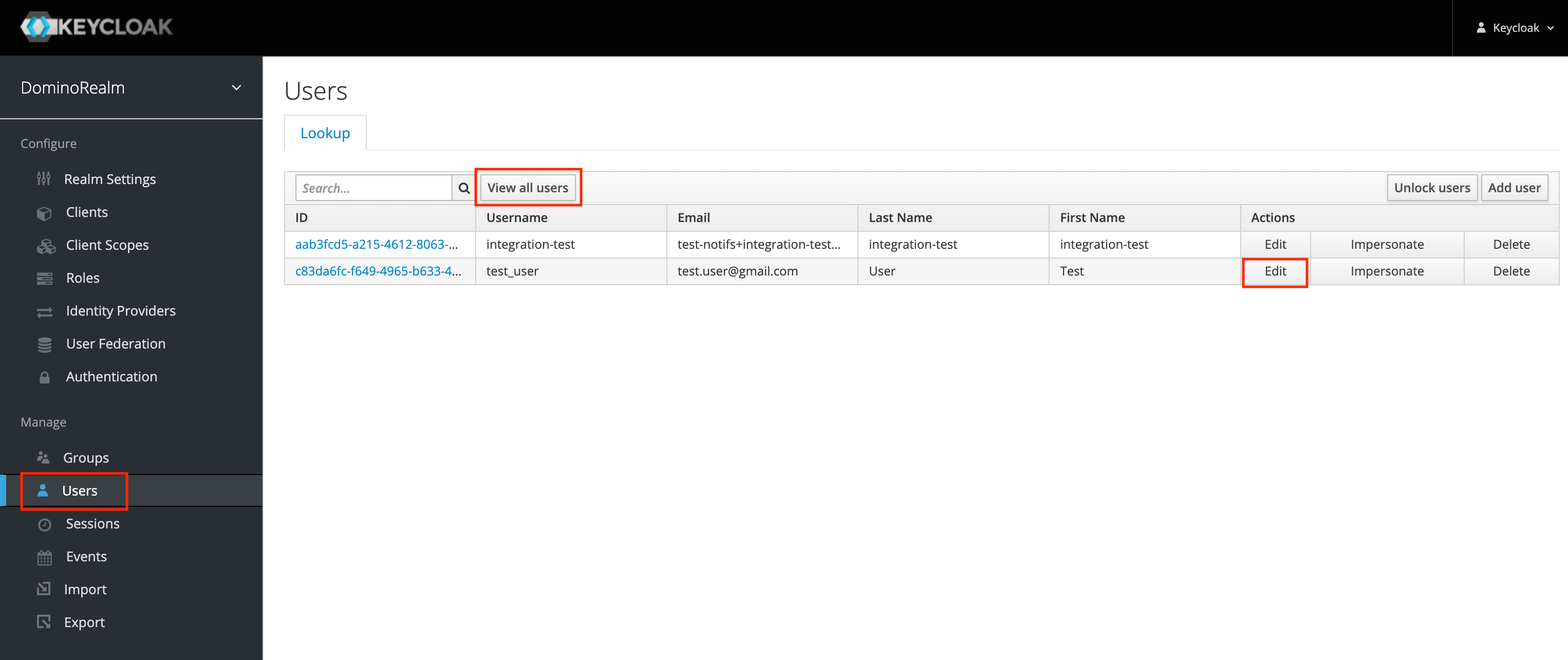
Go to the Users tab, find the user (you may need to click View all users), and click edit.
-
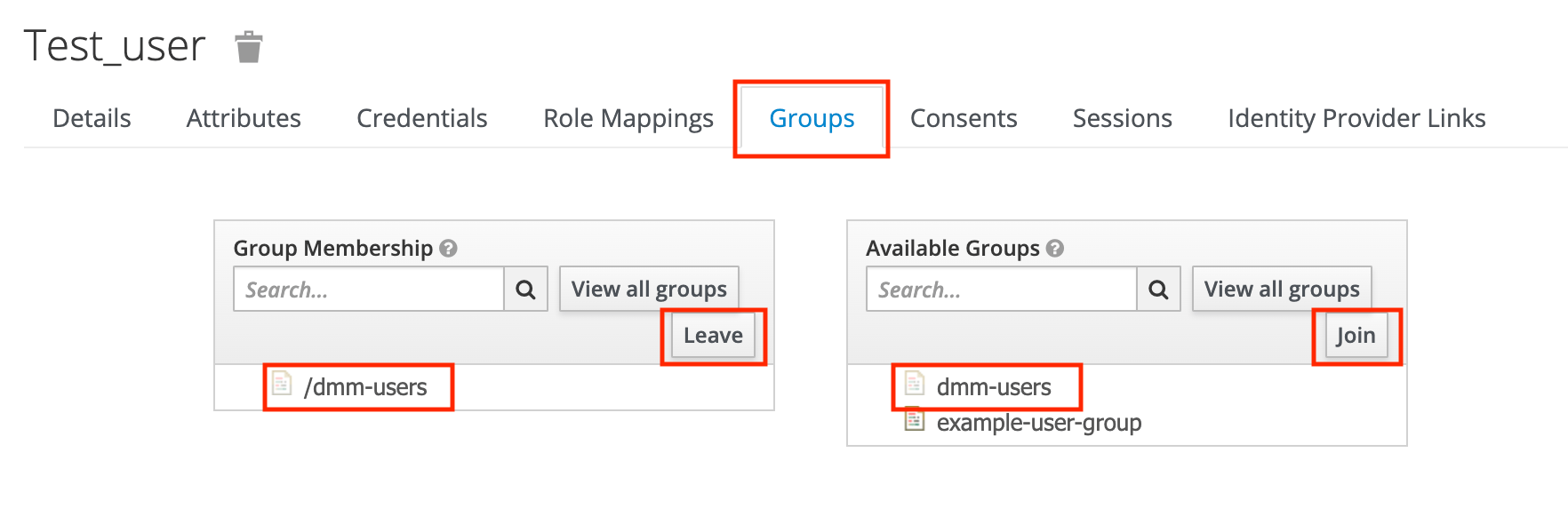
Go to the Groups tab.
To grant access, click Available Groups > dmm-users, then click Join.
To revoke access, click Group Membership > dmm-users, then click Leave.
- Repeat for each user.
Domino endpoint Hardware Tiers
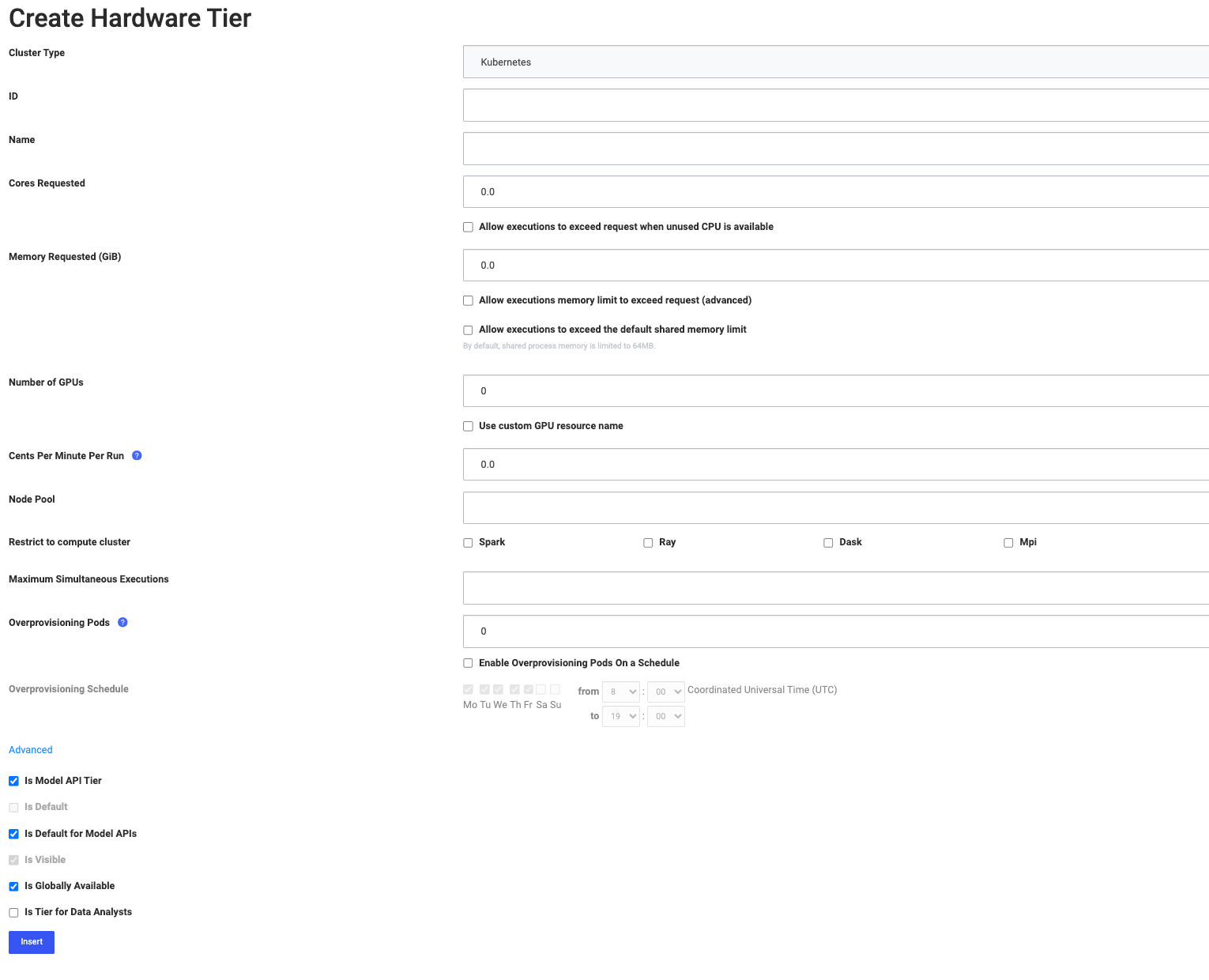
Domino endpoints often have different requirements from Workspaces and Jobs, so Domino keeps a separate class of hardware tier for them. Domino endpoint tiers and regular hardware tiers are not interchangeable: Domino endpoints can only use Domino endpoint tiers, and Domino endpoint tiers cannot be used outside Domino endpoints. To create one:- From the admin home page, go to Advanced > Hardware Tiers.
- Click New to create a hardware tier, or click Edit to modify an existing one or set a default.
- Select the hardware tier values. See Manage a hardware tier for what each field controls.
- Select Is Domino endpoint Tier.
- Optionally, make this tier the default for all Domino endpoints.
Scale Domino endpoints
Scaling the hardware attached to a Domino endpoint is one lever. The other is the degree of parallelism, which Domino sets deployment-wide for all Python Domino endpoints.Only synchronous models support the degree of parallelism setting.
- Go to Admin > Platform settings > Configuration records.
-
Set
com.cerebro.domino.modelmanager.uWsgi.workerCountto a value greater than its default of1to increase the uWSGI worker count. See the uWSGI documentation for what the worker count changes. -
Domino shows the message
Changes here do not take effect until services are restarted. Click here to restart services.Click here to restart the services.
External deployment targets
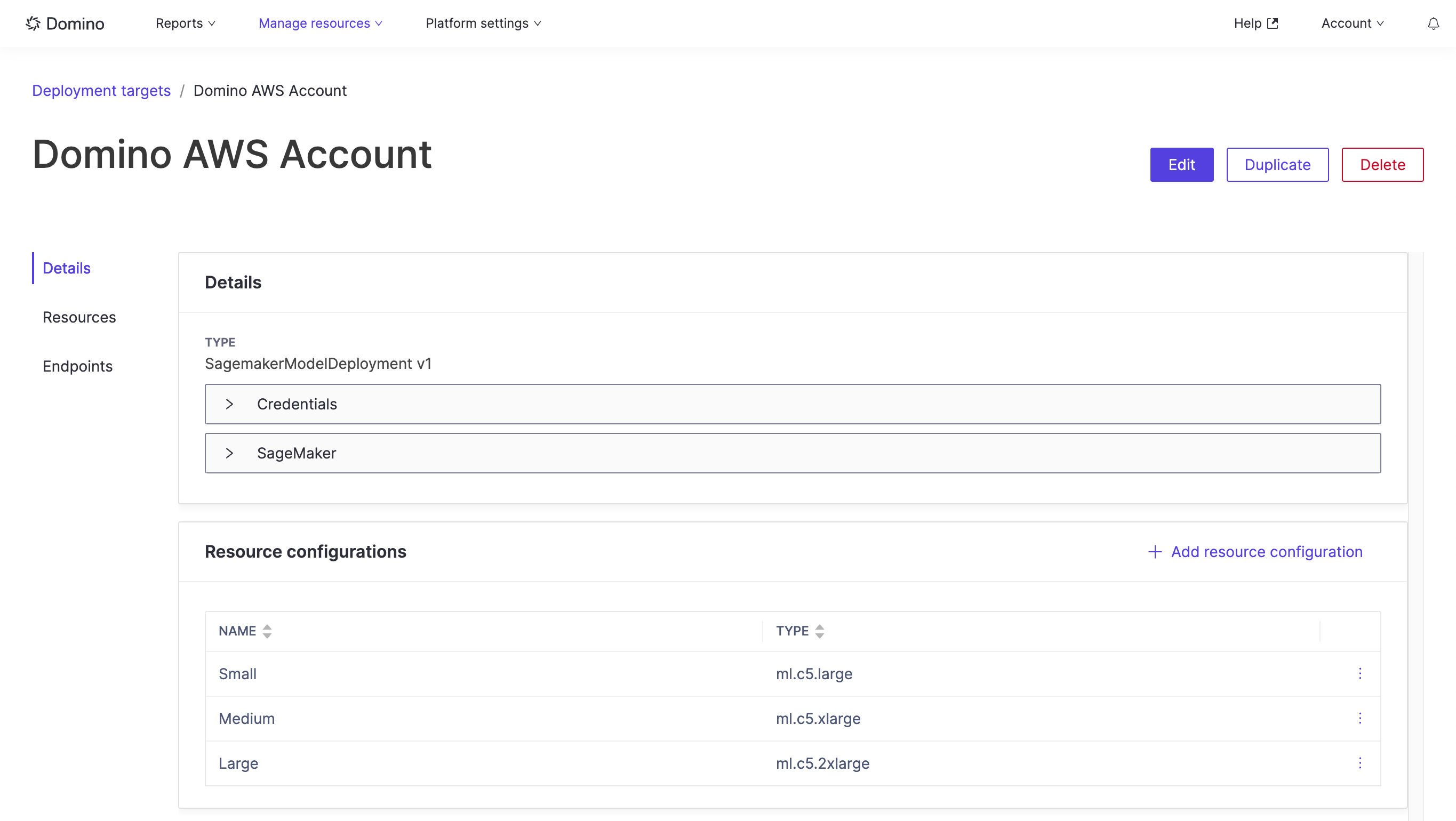
An external deployment target is a connection to an external account that models can be deployed to from Domino. Typically, a target is one account and region.Amazon SageMaker is the only type of external deployment target currently supported. Deploying models to SageMaker is only supported when the Domino control plane runs on an AWS EKS cluster.
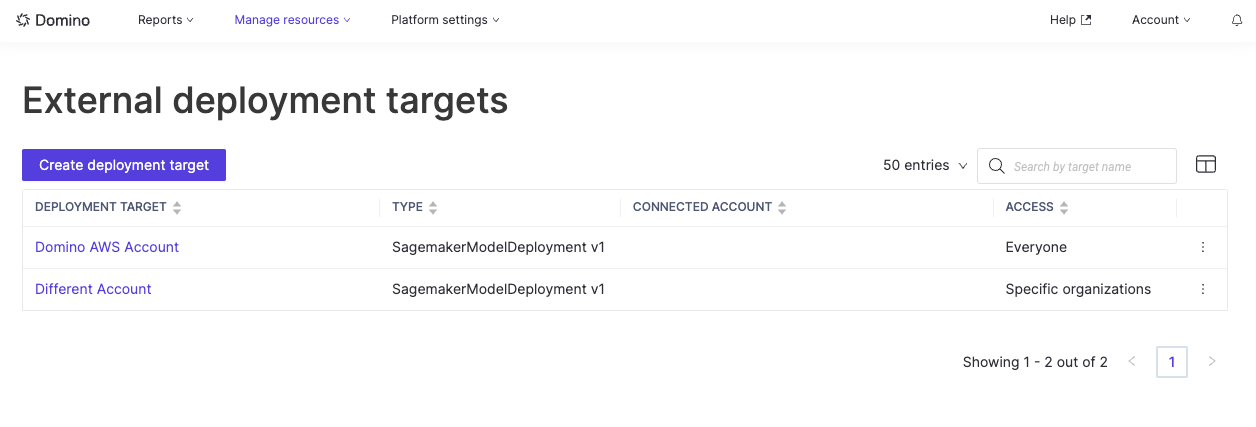
When Domino runs on an AWS EKS cluster, a default deployment target for the Domino AWS account is created automatically, so users can deploy external endpoints inside the AWS account that runs the Domino platform. This can be disabled when Domino is deployed, and admins can change or remove the default target afterwards.