

Access the Personal Access Tokens admin panel
You can access the PAT administration panel in two ways:-
Navigate directly to
/admin/personalaccesstokens. - From the top navigation bar, go to Manage resources > Personal Access Tokens.
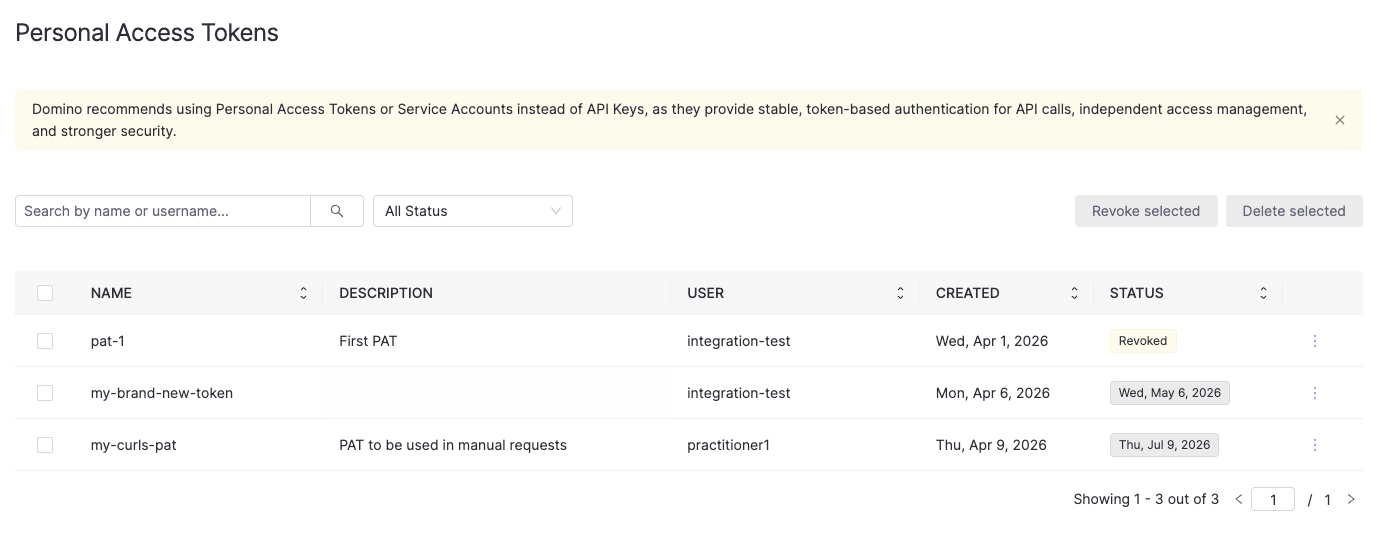
- The Search by name or username field filters by partial token name or username.
-
The All Status dropdown filters by
Active,Expiring Soon,Expired, orRevoked.
View all Personal Access Tokens via the API
The admin panel provides a UI view of all tokens, but you can also retrieve them programmatically. Example endpoint information:curl request (calling inside Domino):
View tokens for a specific user
Example endpoint information:curl request (calling inside Domino):
Automatic token behavior
Some administrative actions on a user account automatically affect their PATs:- When a user is deactivated, all their PATs are automatically deleted.
- When a user’s roles are modified, all their PATs are automatically revoked. The user must create tokens to authenticate with their updated permissions.
Revoke a user’s token
Revoking a token immediately invalidates it while keeping its metadata visible. Both the user and administrators still see the token listed with a revoked status, so they are aware it was invalidated and can choose to delete it later.Revoke a single token
In the PAT admin panel, click the three-dot menu at the end of the token row and select Revoke. Alternatively, use the API: Example endpoint information:curl request (calling inside Domino):
Revoke all tokens for a user
Use this when you need to immediately invalidate all of a user’s tokens, for example when responding to a suspected credential compromise. Example endpoint information:curl request (calling inside Domino):
Revoke multiple tokens in bulk
In the PAT admin panel, select the checkboxes next to the tokens you want to revoke and click Revoke selected.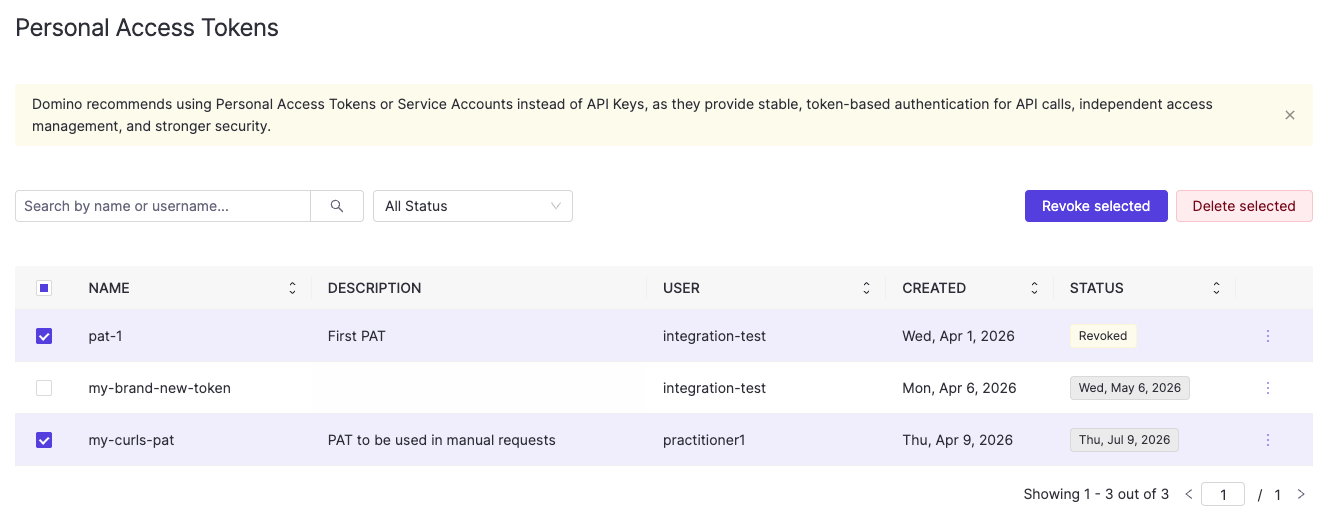
curl request (calling inside Domino):
Key points
- Revoking a token immediately blocks its use.
- Revoked token metadata remains visible to both the user and administrators until explicitly deleted.
Delete a user’s token
Deleting a token permanently removes it and all its metadata. Once deleted, neither the user nor administrators can see it. Rather revoke the token if you want the token to remain visible after it has been invalidated.Delete a single token
In the PAT admin panel, click the three-dot menu at the end of the token row and select Delete. Alternatively, use the API: Example endpoint information:curl request (calling inside Domino):
Delete all tokens for a user
Example endpoint information:curl request (calling inside Domino):
Delete multiple tokens in bulk
In the PAT admin panel, select the checkboxes next to the tokens you want to delete and click Delete selected. Alternatively, use the API: Example endpoint information:curl request (calling inside Domino):
Next steps
- See Domino API authentication for how users create and manage their own PATs.
- Explore the Domino REST API reference for additional API details.