

Image caching service (ICS)
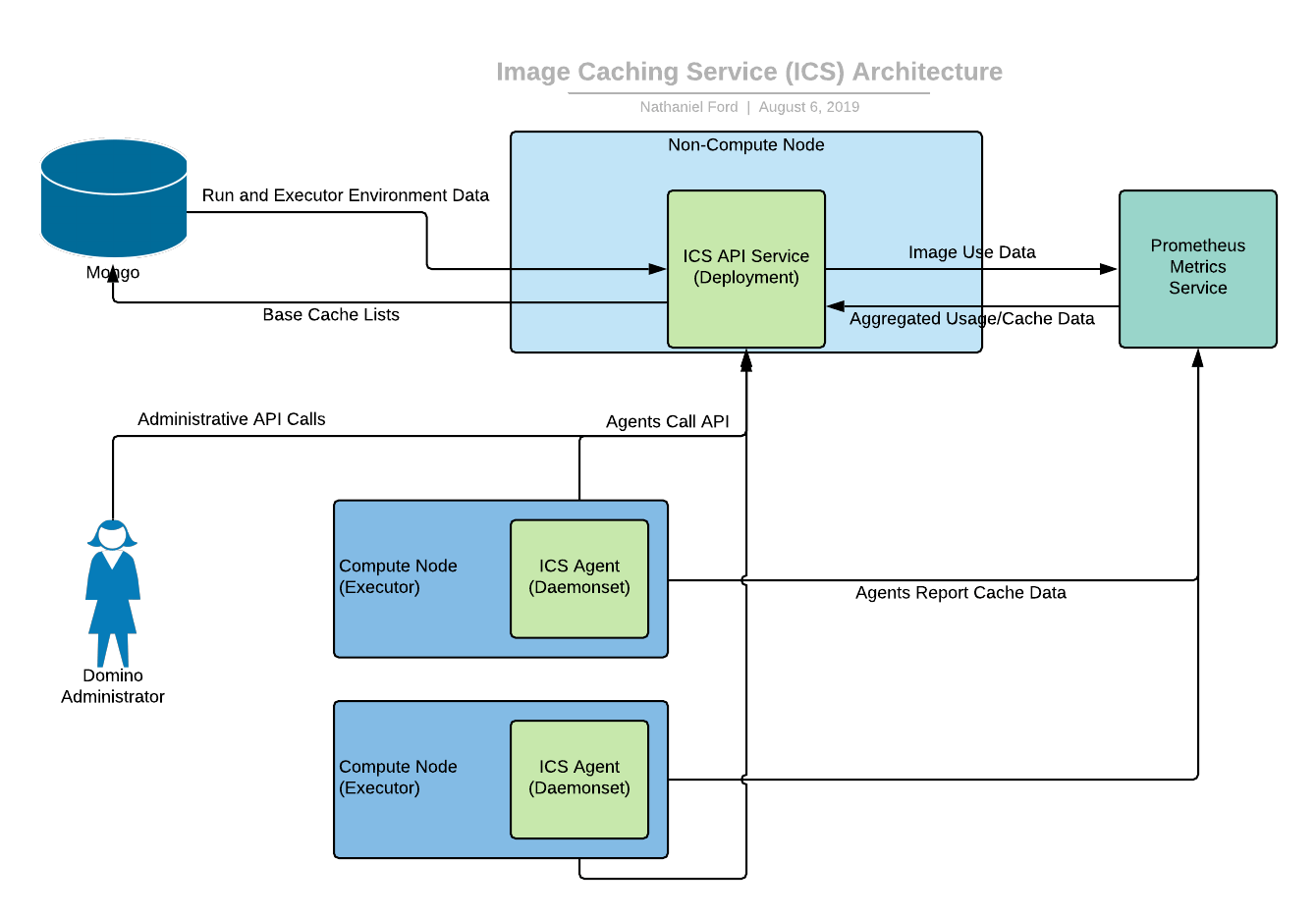
- It does not download images if the amount of disk space allotted for the cache has been used (10% of the compute node disk).
- It does not download images if the node it is on is currently executing an image pull or a run.
- It does not download images if the cpu is being used passed a certain point. (Docker images are CPU intensive to load).
ICS update instructions
Here are the steps to modify the list of images used by the image caching service.-
Using
kubectl, find a runningimage-cache-apipod: -
execinto one of these pods: -
Within the pod, verify connectivity to the image caching API endpoint:
The
$ICS_API_TOKENenvironment variable is pre-populated within the pod and doesn’t need to be set. The base list shows the images that should always be in the ICS cache. -
Check the current image cache:
-
Updates can be made by sending a POST to this endpoint:
Example:
Add the
946429944765.dkr.ecr.us-west-2.amazonaws.com/wgamage73590/environment:67c0728cca19ba5c32ecd109-6into the ICS. Note that-6refers to the revision number 6 of the compute environment946429944765.dkr.ecr.us-west-2.amazonaws.com/wgamage73590/environment:67c0728cca19ba5c32ecd109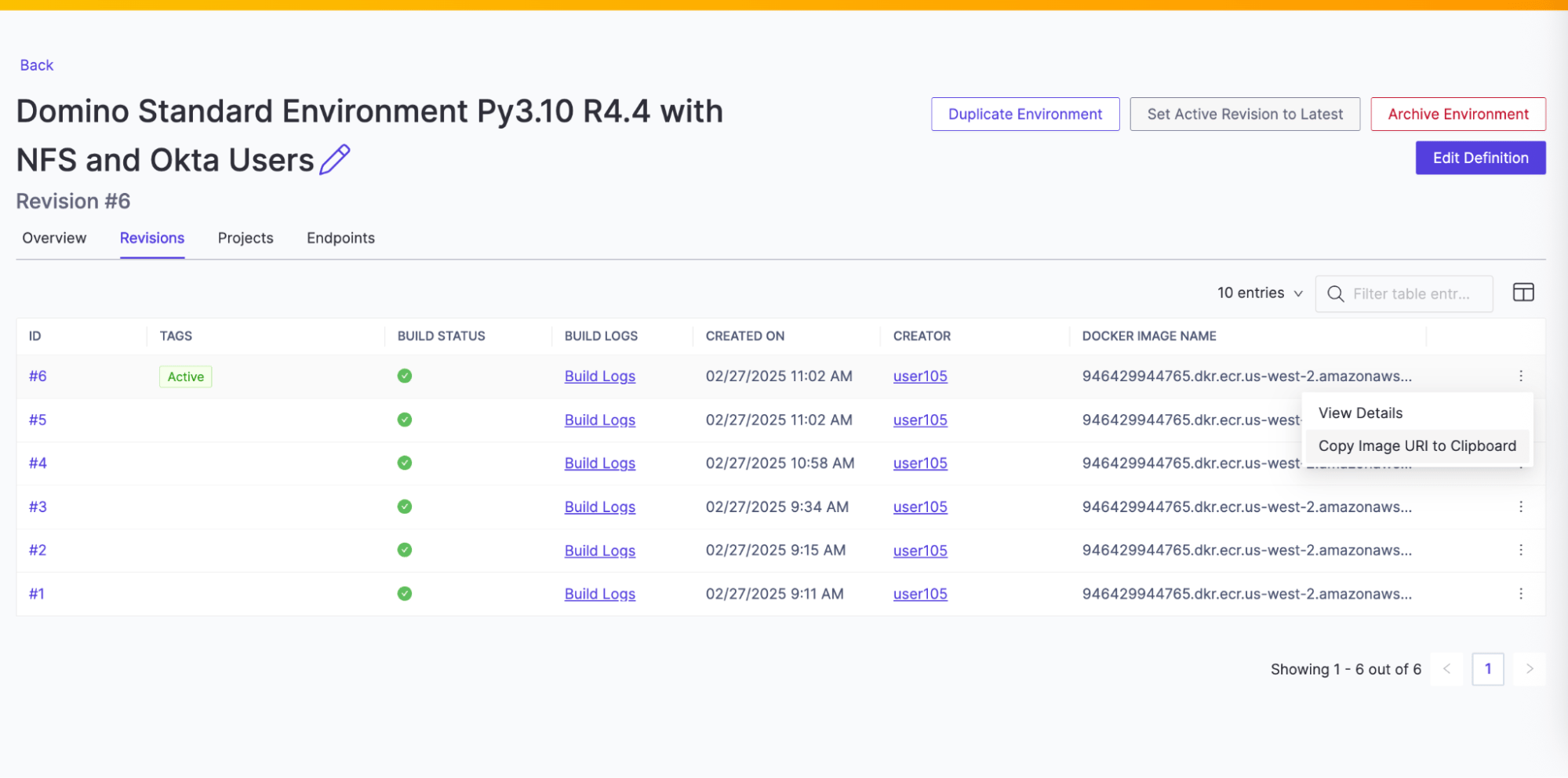
-
Checking the base list again should now show this entry:
-
Check the current image cache:
API syntax
| Path | Use |
|---|---|
| Indicates current status; |
| Returns a list of images to prune or cache. |
| Takes the parameter |
| Takes the parameter and a json block. The json is stored as the base list for the service. Note that always and never can be used to require or block a specific image. preferred has no particular effect. Any number of images may be included.
|
| Takes the parameter
|
| Functions exactly the same as |