

SAML group to organization synchronization
The SAML provider application connected to Domino must include group membership as a multi-valued attribute. To enable this feature, you must update the Configuration key settingauthentication.oidc.externalOrgsEnabled to true, then restart Domino services.
Group synchronization attributes
You must include the following attributes if you synchronize groups in Domino.-
Domino Organizations
- Name: Can be any name since Domino can map attributes.
- Multi-valued: Yes
- Values: One or more of the groups the user belongs to in your centralized identity provider. For any groups specified here, the user is automatically enrolled in a Domino organization with the same name.
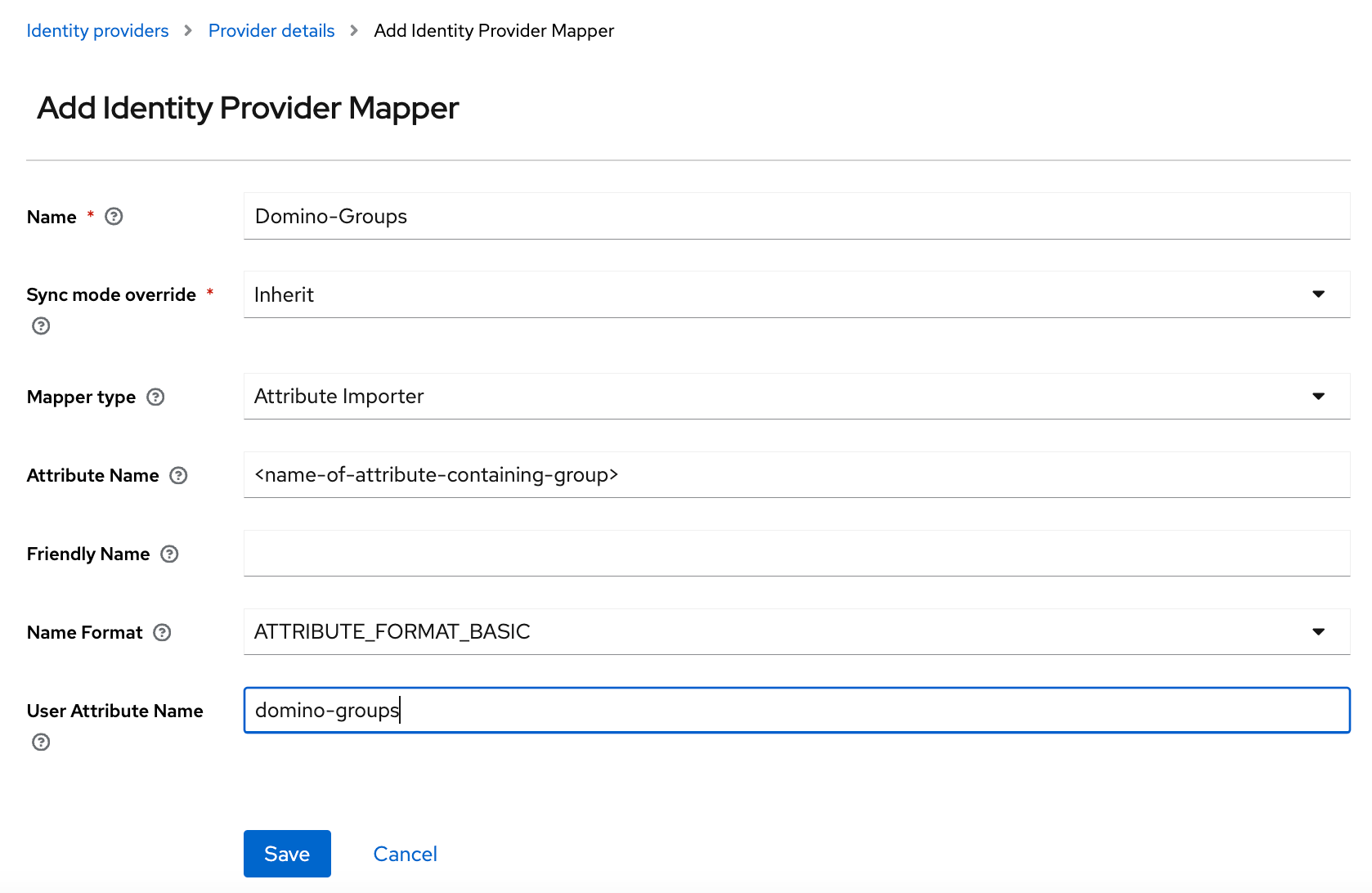
Attribute mapper
Add an Attribute Importer mapper to the provider configuration in Keycloak.- Name: Domino Groups
-
Mapper Type:
Attribute Importer - Attribute Name: Name attribute for the element that contains the groups for the user.
-
Friendly Name:
FriendlyNameattribute for the element that contains the groups for the user. -
User Attribute Name:
domino-groups.
Domino client mapper
When Domino is installed, it automatically creates thedomino-group-mapper client mapper.
-
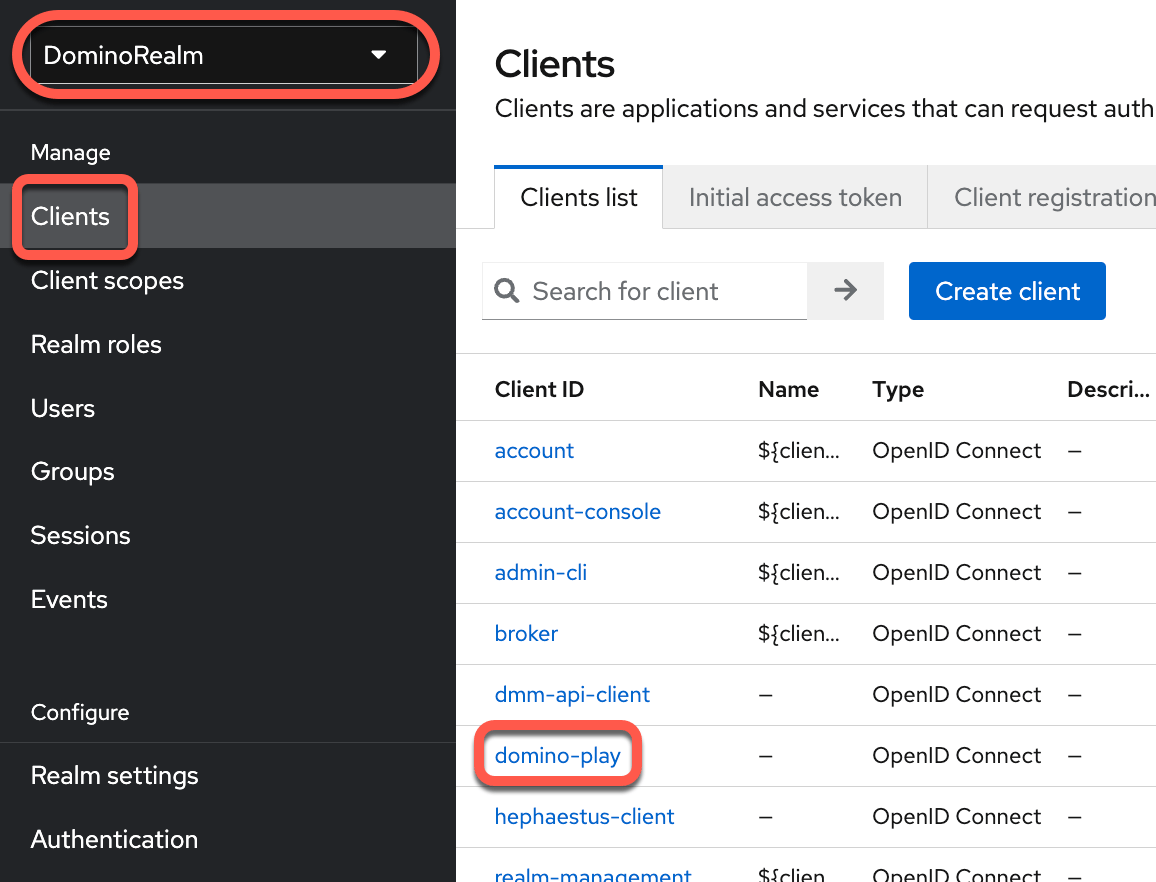
To review the client mapper, go to Clients > domino-play.
-
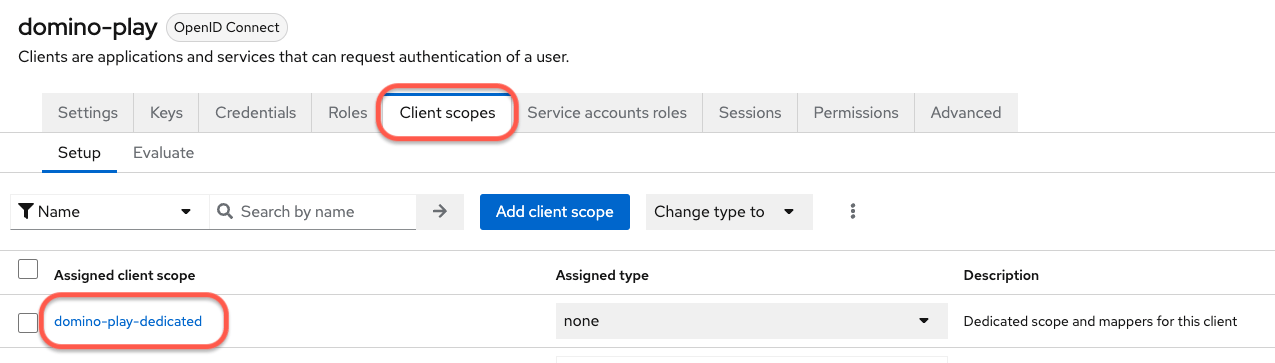
To see the mappers: Go to Clients > domino-play > Client Scopes > domino-play-dedicated.
-
You can see the
domino-group-mapper.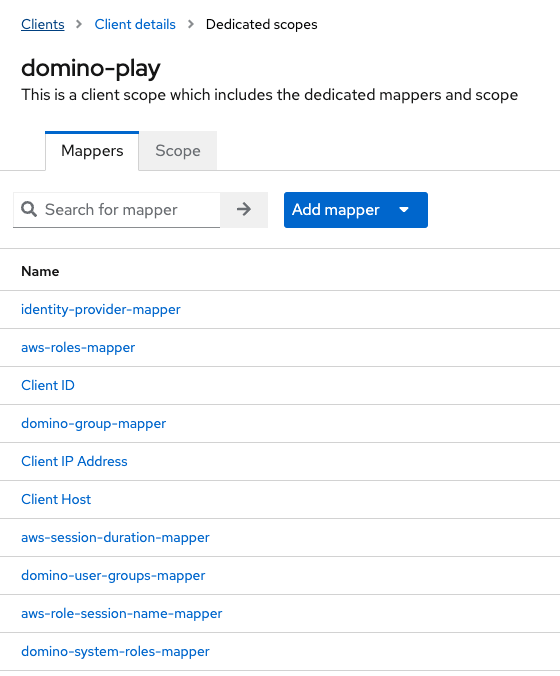
Role synchronization
In addition to group membership, you can also automatically assign Domino administrative and/or user roles to users based on attributes from your SAML identity provider.Prerequisite
The SAML identity provider application connected to Domino must include attributes that can be mapped to specific Domino roles.Attribute mapper
You must add an Attribute Importer mapper to the provider configuration in Keycloak:- Name: Domino System Roles.
-
Mapper Type:
Attribute Importer. - Attribute Name: Name attribute for the element that contains the Domino system roles for the user.
-
Friendly Name:
FriendlyNameattribute for the element that contains the groups for the user. -
User Attribute Name:
domino-system-roles.
Domino System Roles mapper is enabled.
Enable flows
For customers who already have SSO and External Role Sync enabled, an authenticator has been added to Keycloak when upgrading to Domino 5.7.0. For customers with SSO enabled, but External Role Sync disabled, the authenticator is not being added to the Authentication Flows when upgraded to 5.7.0. For existing customers who don’t have the External Role Sync but now want to enable it, the following manual actions must be taken in the Keycloak UI:-
Add a new execution to the Domino First Broker Login flow:
- Navigate to Authentication > Flow details > Domino First Broker Login, then click the Add step button.
-
Search for
Role Group Assignerthen select the Domino Role Group assigner step. Click Add. -
Mark the new Domino Role Group assigner execution as
Required.
-
If the
Domino Post Loginauthentication flow doesn’t exist, create it:- Navigate to Authentication > Flow details > Domino Post Login, then click the Add step button.
-
Search for
Role Group Assignerthen select the Domino Role Group assigner step. Click Add. -
Mark the new Domino Role Group assigner execution as
Required.
-
Add the new flows to the Identity providers configuration:
- Navigate to Identity providers.
-
Next to First login flow override, select
Domino First Broker Loginfrom the list. -
Next to Post login flow, select
Domino Post Loginfrom the list.